Sell your catalogue by subscription
This is the streaming-platform model: the subscriber pays per period and gets everything you publish, including what you publish tomorrow. Your revenue becomes recurring, and every new piece of content strengthens the subscription instead of being one more sale to make.
It is the right choice when your catalogue keeps growing. If it is fixed, or if your content is watched in isolation, a bundle or a single sale fits better.
What separates a catalogue from a bundle
One setting in the plan: Full catalogue access.
| Catalogue | Bundle | |
|---|---|---|
| “Full catalogue access” | on | off |
| Content included | everything, new releases included | what you attach |
| Effect of publishing | subscribers get it automatically | you have to add it to the bundle |
The interface says it plainly: “The subscriber gets all content, including new releases.”
Creating a catalogue plan
- Sales → Product catalog, Subscriptions tab, then Create a plan
- Plan name — visible to the buyer. “Unlimited access”, “Premium yearly”
- Type and pricing: choose Recurring, then the Price
- Switch on “Full catalogue access”
- Billing period: how often the subscriber is charged
- Advanced options: trial period in days, auto-renewal
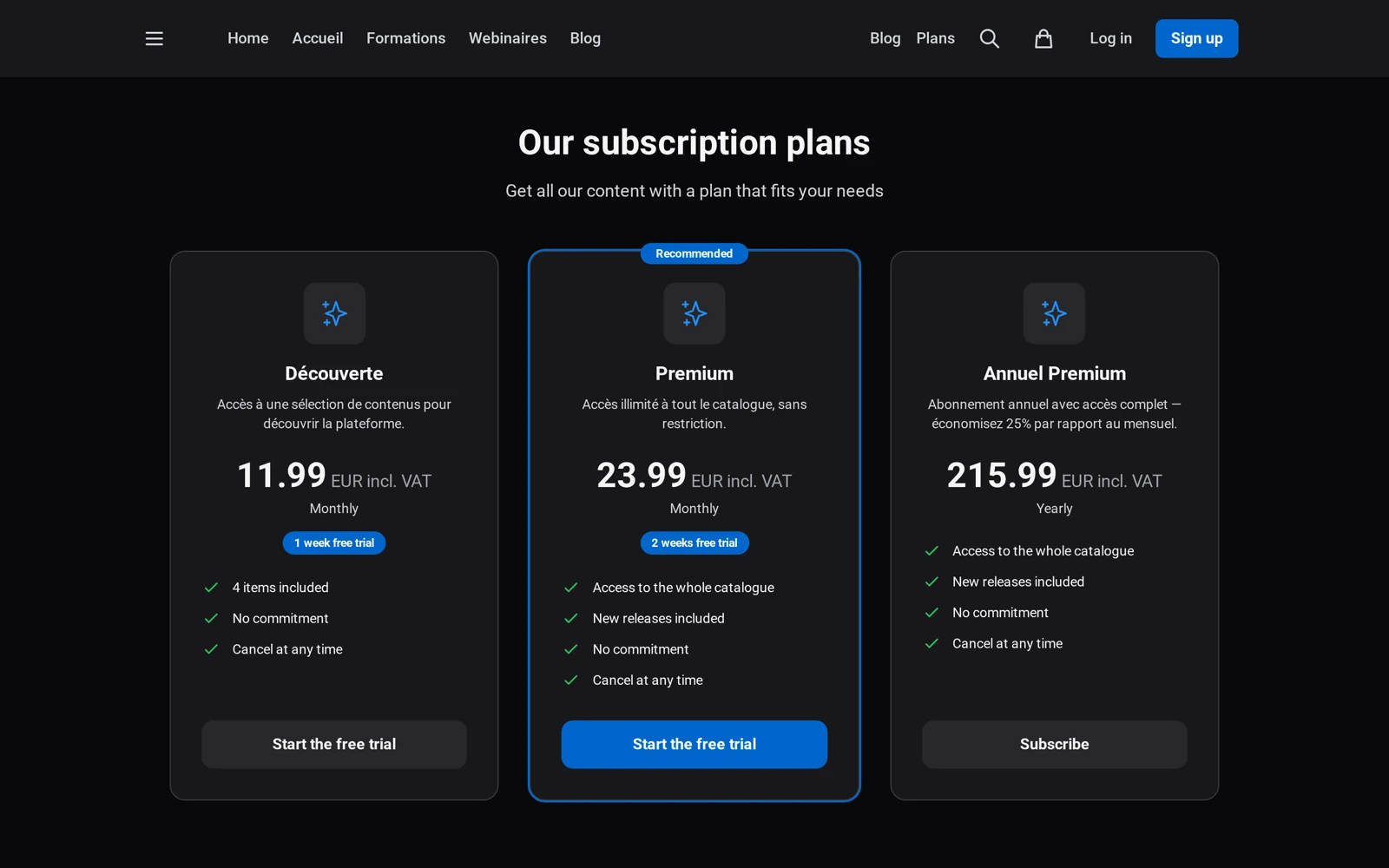
Monthly and yearly work together. Nothing stops you creating two full-access plans — one monthly, one yearly at a lower monthly rate. It is the most common pairing, and the yearly one secures your cash flow.
The trial period
The Trial period (days) field grants full access before the first charge. It is a strong lever on a catalogue — a trial gives people time to gauge how deep the offer is, which a product page cannot show. The subscriber is charged automatically when the trial ends, unless they cancel.
What to check on the content side
A subscription only protects what is protected. Content left at Public stays visible to everyone, subscription or not. To be part of the paid offer, it must be at the Paid or Restricted level.
This is the classic catalogue trap: you create the plan, you advertise “access to everything”, and half the videos are in fact freely available.
Tracking your subscribers
The plan’s Subscribers tab lists who is subscribed, since when, until when, and whether auto-renewal is on. To grant access without payment — to a partner, a tester or a set of demo accounts — go through the person’s profile: see How to give free access to a subscription.
On the revenue side, Sales → Overview separates subscription revenue from one-time revenue and tracks the number of active subscribers.
What separates a catalogue from a pack?
A single setting in the plan: Access to the whole catalogue. Turned on, the subscriber reaches “all content, including new releases”. Turned off, they only get the content you attached — that is a pack.
The consequence is structural: on a catalogue, publishing a video enriches the offer with no commercial act. Each new item strengthens the subscription instead of being another sale to make.
Is a video left public included in the subscription?
It is accessible to everyone, subscribers or not. A subscription only protects what is protected: content left at the Public level stays freely visible, whatever the plan.
That is the classic catalogue trap — you create the plan, announce “access to everything”, and half the videos are in fact open. Check the access levels item by item: only Paid and Restricted belong to the paid offer.
Should I offer both a monthly and an annual plan?
It is the most common pairing, and it works. Nothing stops you creating two full-access plans — one monthly, one annual and cheaper per month. The monthly lowers the barrier to entry; the annual secures your cash flow and reduces churn.
Note that these are two distinct plans, not two billing periods on the same one.
Is a trial period worth it on a catalogue?
It is the most effective lever in this model. A catalogue is judged on its depth, and no product page shows the depth of a catalogue: a trial gives time to measure it.
The subscriber is charged automatically at the end of the trial, unless they cancel. The field is set in days under the plan’s Advanced options.
How do I grant free access to a partner?
Not from the plan’s Subscribers tab, which is a read-only view. Go through the person’s profile in the Sales section: that is where the Gift a subscription action lives.
Two things to know about gifted access: auto-renewal is disabled — it stops at its end date, silently — and it does not appear in your revenue, since no payment takes place.
In short
- A catalogue is a Recurring plan with “Full catalogue access” switched on
- New releases are included automatically: publishing enriches the offer with no commercial effort
- Two full-access plans (monthly and yearly) are the most common pairing
- The trial period is the most effective lever on this model
- Content left Public escapes the subscription: check your access levels
- Free access is granted from the person’s profile, not from the Subscribers tab
Related articles
Screenshots were taken on Videas Academy, an example channel built for this help center. It belongs to a fictional customer, not to Videas: your own channel carries your name, your branding and your prices.