Video hosting & encoding
Upload once, stream everywhere. Automatic multi-bitrate transcoding (H.264, HEVC), global video CDN delivery and adaptive bitrate streaming over HLS and DASH.

Videas Developer
Integrate video hosting, adaptive streaming over HLS and DASH, an embeddable HTML5 player and secure signed playback into your product — all through one REST API with an OpenAPI spec and official SDKs for JavaScript and Python.
Why Videas API
One video API to upload, transcode, deliver and organise video at scale — covering video on demand (VOD), an embeddable player, secure signed playback and workspace-based organisation. Built for developers, friendly to designers.
Upload once, stream everywhere. Automatic multi-bitrate transcoding (H.264, HEVC), global video CDN delivery and adaptive bitrate streaming over HLS and DASH.
Drop-in HTML5 video player with iframe embed or JavaScript SDK. Fully themeable and responsive, it works on every device and every modern browser — no Flash, no plugins, HLS and DASH out of the box.
Serve every stream through short-lived, signed playback tokens. Decide who can watch, restrict embeds to your own domains, and deliver adaptive HLS and DASH over a global CDN.
How it works
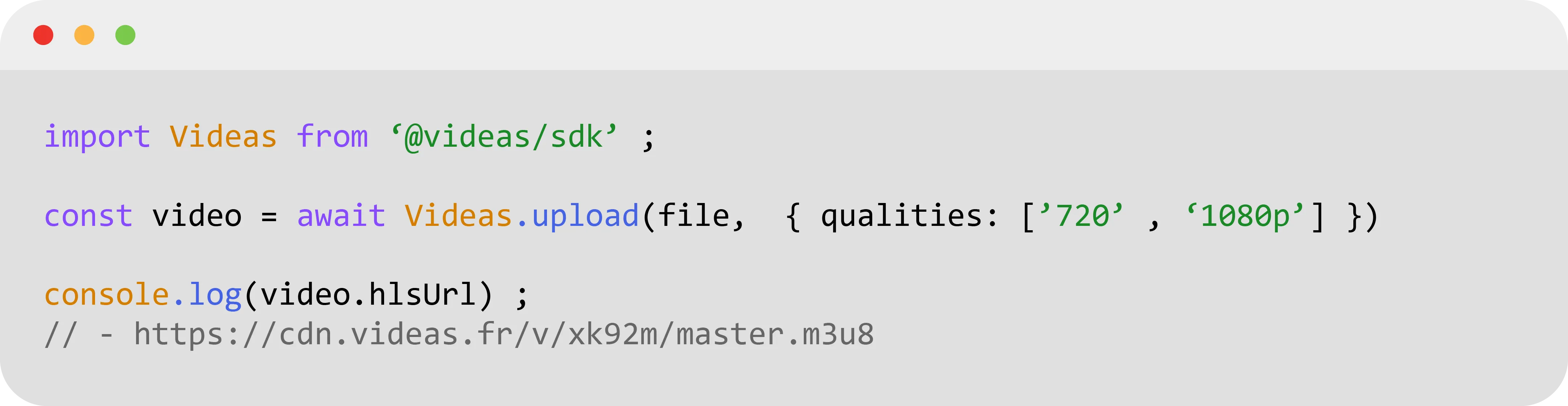
POST your file, a signed URL or a chunked upload to the /assets endpoint of the REST API. Videas takes care of storage, multi-bitrate transcoding, HLS and DASH packaging and thumbnail generation automatically.
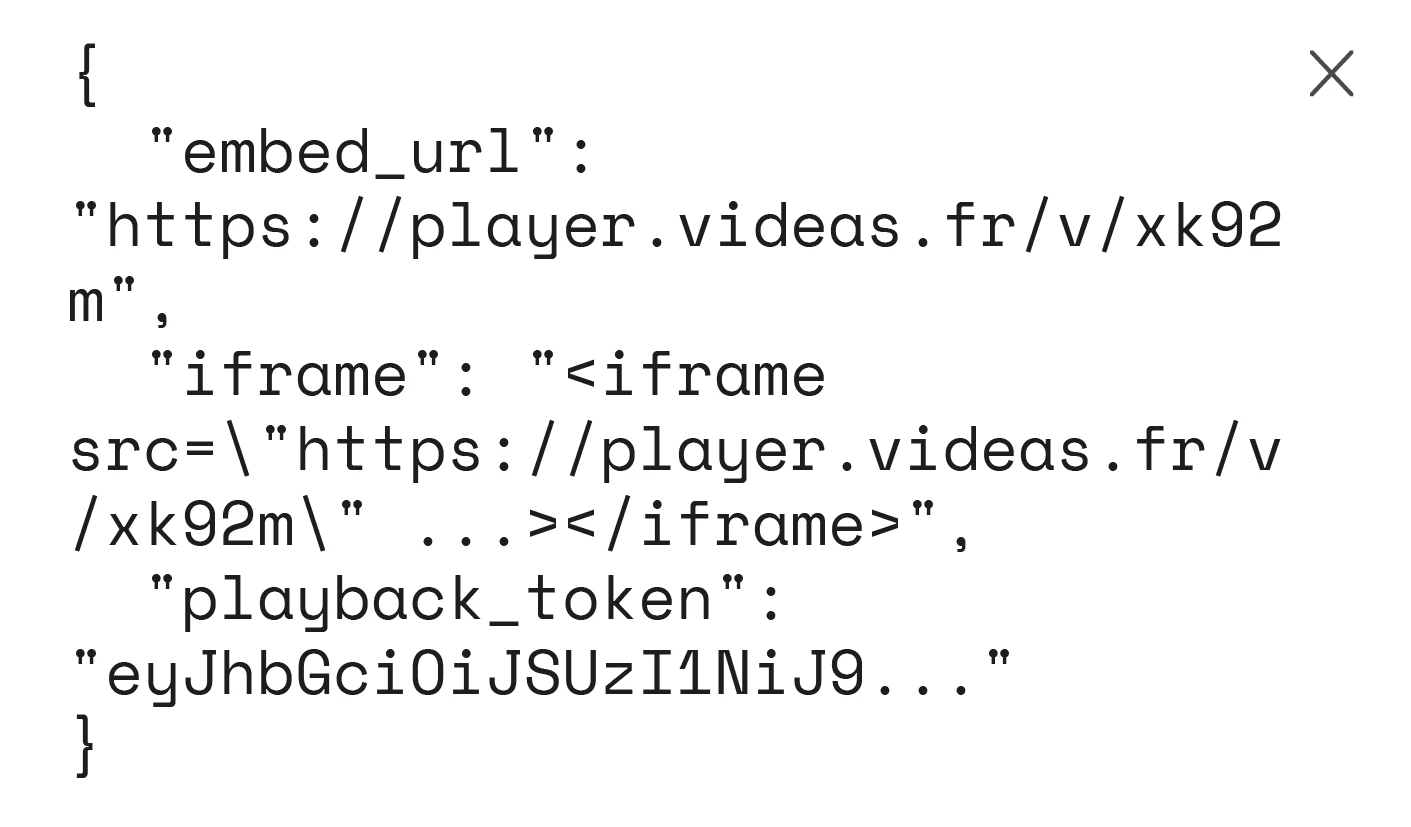
The video API returns an embed URL, an iframe snippet and a signed playback token. Drop the HTML5 video player in any page, style it with CSS variables, and your adaptive stream is live on any device.
Issue signed playback tokens and short-lived URLs to control who can watch, restrict embeds to your own domains, and structure your library into workspaces and folders — all through the REST API.
SDKs & integrations
Call the Videas REST API with plain cURL, or use our official client libraries for JavaScript (Node.js and browser) and Python — PHP and Go are on the way — or generate your own SDK from the OpenAPI (Swagger) spec in any language.
curl https://api.videas.com/v1/assets \
  -H "Authorization: Bearer $VIDEAS_TOKEN" \
  -H "Content-Type: application/json" \
  -d '{
    "source_url": "https://example.com/intro.mp4",
    "title":      "Onboarding video"
}'With an API key sent as a Bearer token: Authorization: Bearer sk_…. You create keys from the app, granting each one only the scopes it needs (read or write, per resource). The raw key is shown once, at creation — after that only its first 12 characters remain visible, to identify it.
No. There is no per-request cost: API access is included, only the rate is capped — 1,000 requests per hour per key, with X-RateLimit-* headers on every response so you can track what is left. What your calls trigger is billed, though, at the rates on the Pricing page: storing the videos you upload, delivering them to your viewers and generating subtitles all draw on your organization credit wallet, exactly as they would if the action came from the app.
Yes. The “Try it” sandbox in the API reference runs on test keys, which expire on their own and exist for exactly this: you can walk through every endpoint, seeing real requests and responses, before writing a line of code.
Through the resumable TUS protocol: open a session with POST /upload/, then send the file in chunks. A dropped connection picks up where it left off instead of starting over — which matters with video files. Our JavaScript and Python SDKs wrap all of it into a single call.
JavaScript and Python, each with its own guide. PHP and Go are coming. Nothing forces you through an SDK: the API is plain REST, and the OpenAPI spec is downloadable so you can generate a client in any language.
Yes. The player embeds with a snippet of HTML — no API key, no server. It is the shortest path to a video online. The API earns its place when you want to automate: bulk uploads, catalog syncing, folder and allowed-domain management.
The version lives in the URL: every route is prefixed with /api/external/v1/. A breaking change would ship as a new version, leaving the one you call working. The changelog tracks what lands along the way.