










Wistia vs Videas

Video marketing you can afford

Video channels, heatmap analytics, a real media library with folders, and AI subtitling, included from day one, with no tier to unlock and no seats to buy.

Videas and Wistia both host business video, with a customizable player and analytics. The difference is the model: on Wistia, channels and heatmaps start on the Business plan, CRM attribution at $329 a month, and domain-restricted playback comes on quote. On Videas, everything is included from the first euro, billed by usage, with a media library organized in folders, a player with no third-party cookies, and no transfer outside Europe with worldwide CDN delivery.

Try for free
Videas video marketing platform with customizable player and analytics
ONISEP
AFNOR
Ville de Roubaix
Safran
France-Soir
Crédit Agricole
France Travail
Magnard-Vuibert
Sodiaal
Yoplait
Call

Where Wistia falls short

  • Channels, heatmaps and A/B testing wait for the Business plan

    Collections, channels, playlists, heatmaps, A/B testing and removing Wistia branding: none of it exists below the $79-a-month plan.

  • Protected playback and SSO come on quote

    Restricting a video to your own domains and wiring your directory both belong to the Enterprise plan, whose price is published nowhere.

  • CRM attribution quadruples the bill

    Tying plays to HubSpot, Marketo or Pardot needs the Business + Signals plan, at $329 a month, and every seat past three adds $25.

  • No real media library

    Wistia offers neither folders nor subfolders. With dozens of videos, organizing them quickly becomes unmanageable.

  • No European hosting, GDPR risk

    Your data is stored in the United States. The player sets third-party cookies, which complicates your GDPR compliance.

  • No built-in monetization

    Selling access to your videos, one-off purchase, rental or subscription, means bolting on a third-party tool: Wistia ships no native payment option.

  • Support runs on tickets only

    No live chat, no phone line: replies come through a ticket queue, with turnaround tied to US business hours.

  • Storage and delivery are capped per tier

    25 GB of storage and 200 GB of delivery on the free plan, 250 GB and 1 TB on Business: going over moves you up a plan rather than up a meter.

Videas feature comparison showing all features available from day one

No features locked behind premium plans

Video channels, analytics with heatmaps, a customizable player, domain restriction, built-in monetization: everything is available from the first euro, priced by usage (€0.20/hour of storage, €0.02/GB of bandwidth). No tier to climb to unlock an essential feature, and no sales rep to call for a number.
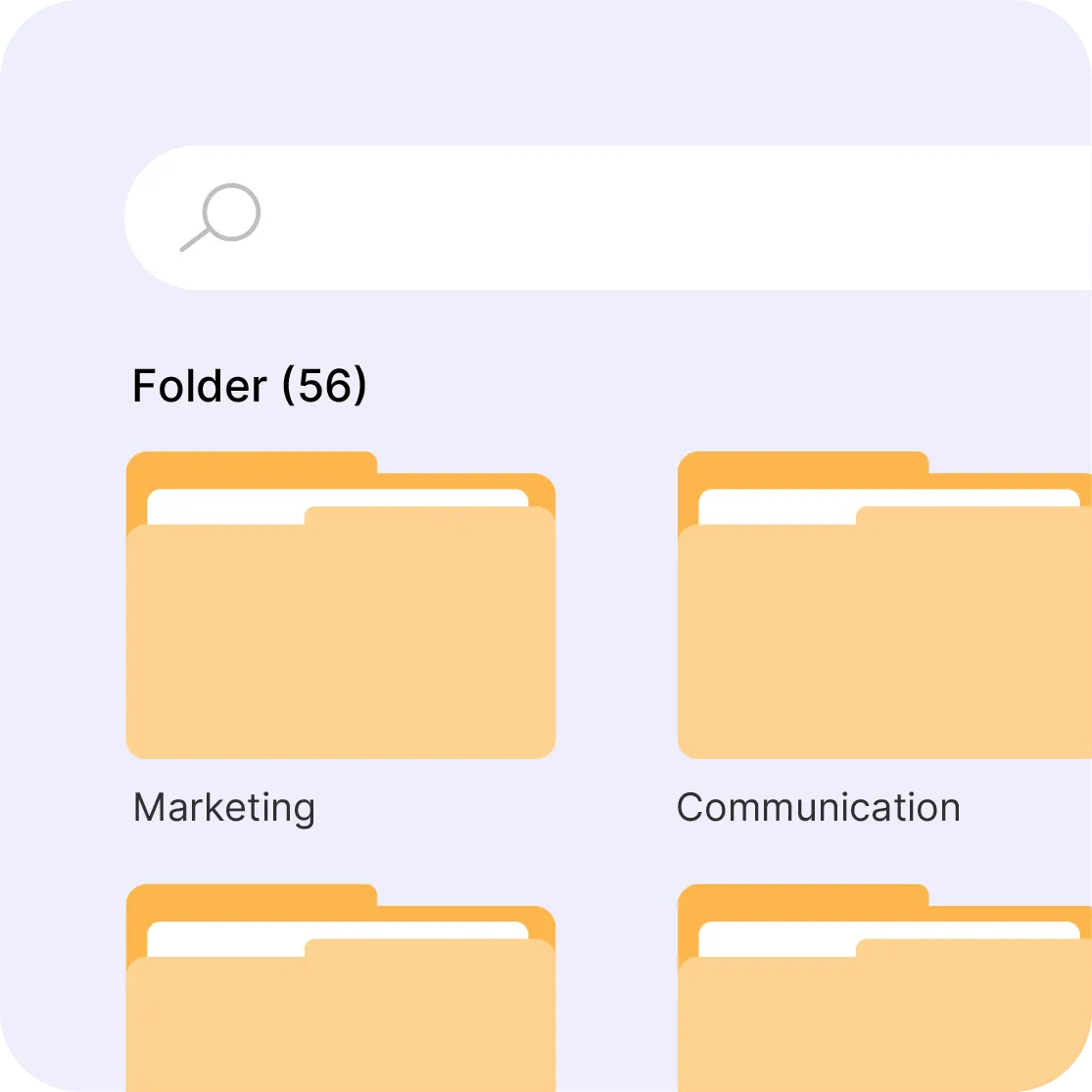
Videas media library with folders and tags for organizing hundreds of videos

Organize hundreds of videos

Folders, subfolders, tags, search by keyword or format: Videas is built to manage real content libraries, where Wistia stops at a flat list. Tutorials, training, demos, webinars: everything stays organized and searchable, even with hundreds of videos, and several teammates can work in it without tripping over each other.

Branded video portal with themed channels on the Videas platform

Create your video portal

Centralize your videos in themed channels with your branding, with domain restriction and password protection when you need them. Perfect for training centers, knowledge bases, or client content libraries, included in your pay-as-you-go pricing, with no tier to unlock and no plan surcharge.

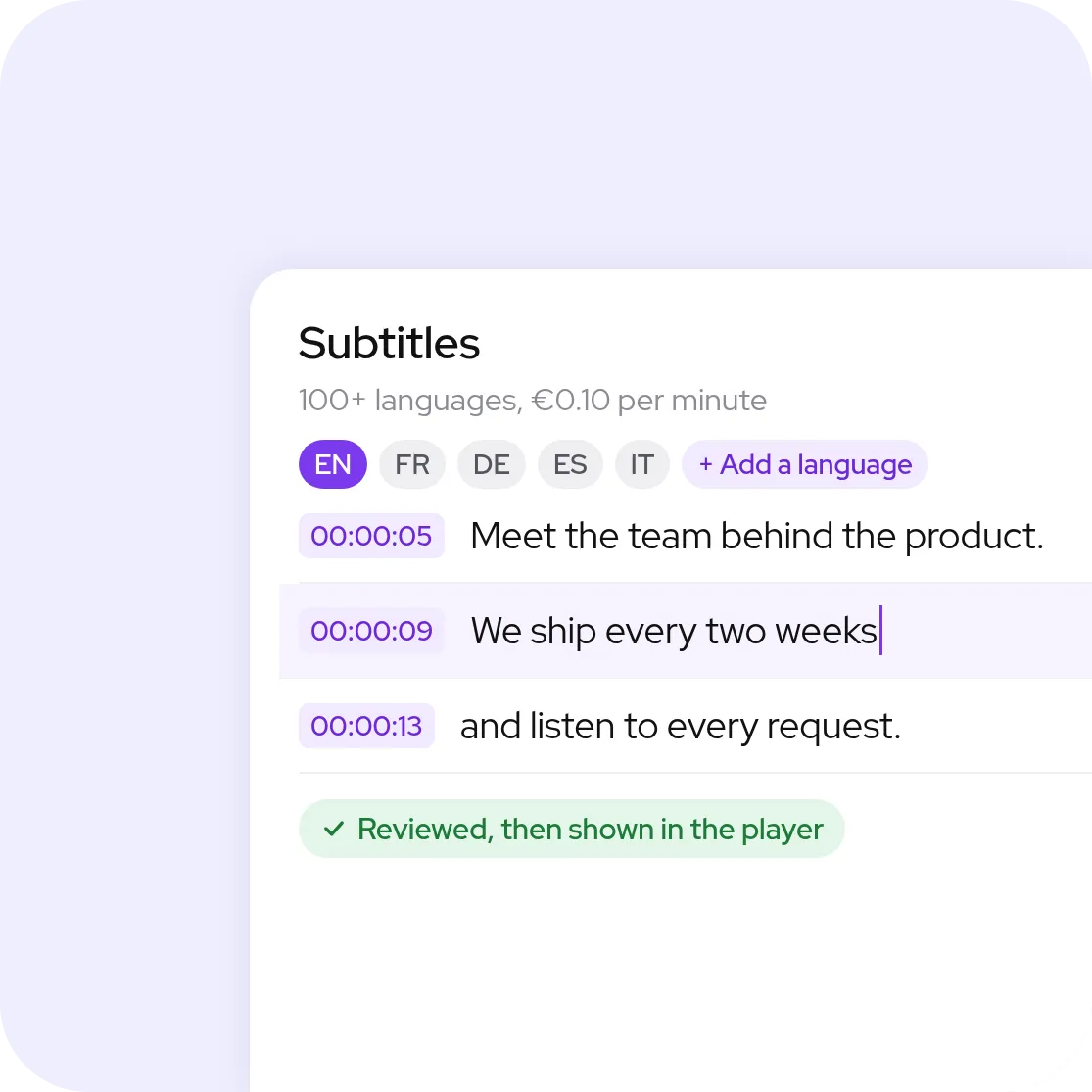
Subtitles in over 100 languages at €0.10 a minute, reviewed in the editor then shown in the player

Subtitled in over 100 languages

Videas Scribe generates subtitles and transcripts inside the platform, then you proofread them in an editor synced to the video before publishing. Over 100 languages, for transcription and translation alike, at €0.10 per minute of generated subtitles: they show up in the player with no file to export or upload again.

Videas vs Wistia, feature by feature

Feature
videas.Try it
Wistia
Video hostingVideo hostingYesYes
Customizable playerCustomizable playerYesYes
Analytics with heatmapsAnalytics with heatmapsYesYes
Automatic AI subtitlingAutomatic AI subtitlingYesLimited
Media library with foldersMedia library with foldersYesNo
Video channels / portalsVideo channels / portalsIncludedBusiness plan
Domain restrictionDomain restrictionIncludedEnterprise plan
Cookie-free playerCookie-free playerYesNo
Storage and delivery by usageStorage and delivery by usageYesNo
Native HubSpot integrationNative HubSpot integrationNoYes
Integration via API/webhooksIntegration via API/webhooksYesYes
Built-in monetizationBuilt-in monetizationYesNo
Live streamingLive streamingYesYes

Frequently asked questions

How do I migrate my videos to Videas?

Videas offers a free migration service. Our team handles the transfer of your files and metadata, allowing you to continue broadcasting your videos without interruption.

Does Videas offer tools for video marketing?

Yes. Videas includes analytics with heatmaps to measure engagement, video channels to organize your content, and customizable presentation pages. CRM integrations are possible via API and webhooks.

How much does Videas cost next to Wistia?

Pricing is usage-based: €0.20 per hour of stored video per month, €0.02 per GB of bandwidth. No subscription. €5 in credits on sign-up, then €5/month.

Videas or Wistia: which one works without cookies?

Videas: its player sets no cookies or trackers, and can be embedded without modifying your GDPR consent banner.

Where is the data hosted, with Videas and with Wistia?

All data is hosted in the EU. GDPR compliance is native, with no transfer outside the European Union.

Can I see which sites are playing my videos?

Yes. Analytics lists the domains where your videos are being played, alongside countries and devices. That is exactly what goes missing once a video is embedded on a partner's site or a campaign page: you measure playback where it happens, not only on your own site.

Can I see who watched a video, by name?

Only inside a channel where your viewers have an account: a Users tab ranks the most active ones, and each profile shows watch time, sessions and average completion. Everywhere else — a video embedded on your site, a link sent by email — measurement stays aggregated: trends and countries, never a name.

Can the player offer an action at the end of a video?

Yes. The end screen can carry a link to the page of your choice, a form or a feedback request, rather than letting the viewer walk away. The retention curve then tells you how many viewers actually reached it.

Can I get my videos back if I switch tools?

Yes, whenever you want. You select your media in the library and download the source files in bulk. Metadata — names, descriptions, tags, dates, durations — exports separately, as CSV or Excel.

Is the player accessible?

It follows RGAA good practice: subtitles, chapters, keyboard-reachable controls and readable contrast. Subtitles are generated automatically, corrected in an editor, and several languages can coexist on the same video — the viewer picks theirs mid-playback.