Product documentation
Publish video tutorials your software's users can find
An academy open to all, filed by what the customer is trying to do.
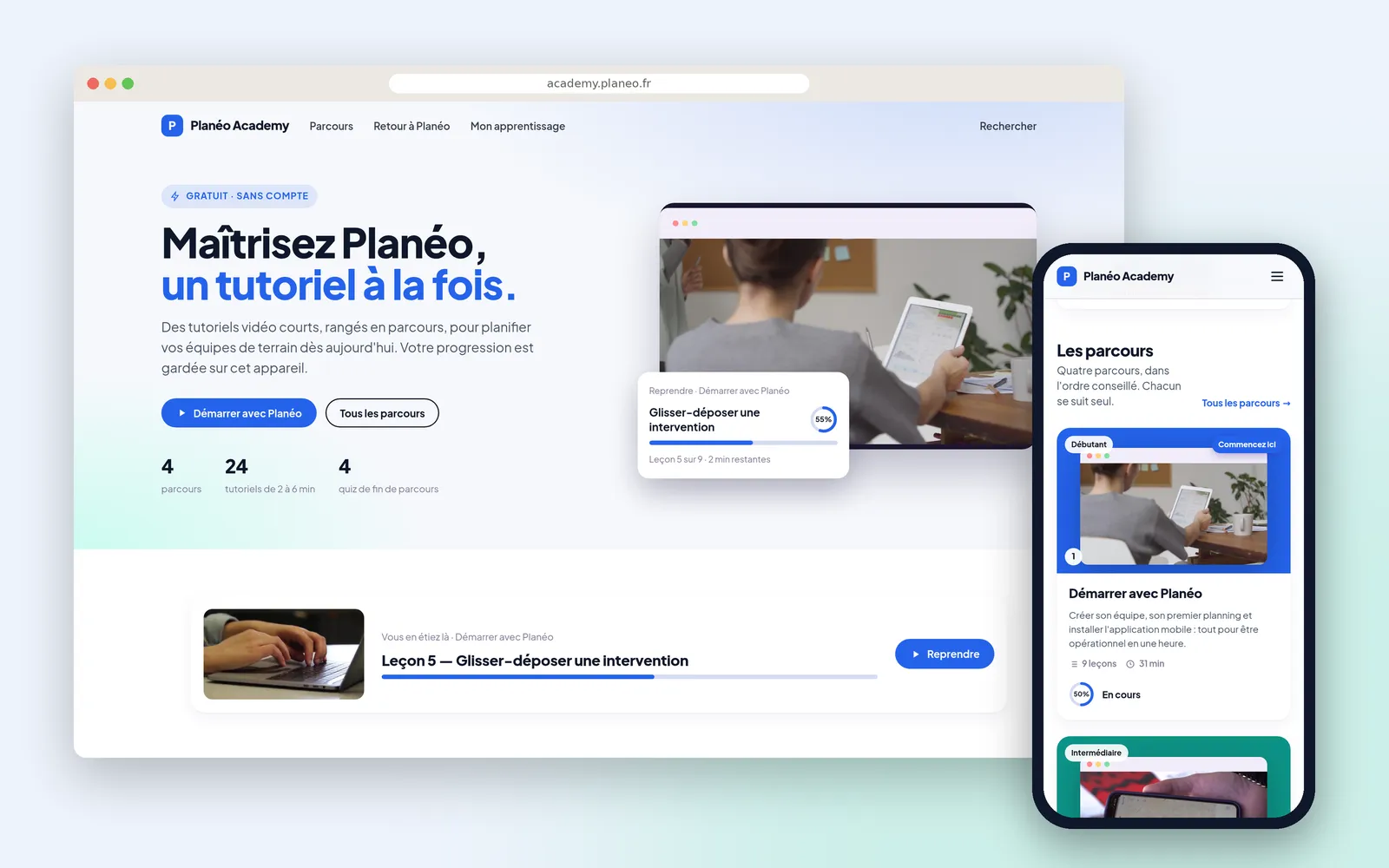











Public video tutorials for a software product's users can sit on a Videas channel open without an account, where search engines can find them. Lessons of two to six minutes are filed in paths by task rather than by menu, progress is kept on the visitor's device, and Scribe produces and translates the subtitles your team proofreads.
“Planéo” is scheduling software for field teams, invented for this walkthrough. Romain Lefort runs customer success, with two people on support who answer the same questions every month.
Video documentation the customer cannot find
Documentation filed the way the software is built forces the customer to know the software before they can find anything in it. They look for “duplicate a schedule” and land on “Scheduling module”, which they would never have thought to open.
And when the tutorials sit behind an account, they exist for nobody else: not for the search engine, and not for the prospect wondering whether the tool does the job before coming in.
Public video tutorials, filed in paths
The academy is public, at the product’s address and in its colours, with no account and no password. The tutorials are indexable, and a question typed into a search engine can land straight on the answer.
They are not loose for all that: four paths in the recommended order, lessons of two to six minutes, and a quiz closing each one. For somebody after one thing, the home page’s goals open the right lesson directly.
And the visitor keeps their progress without signing up: it lives on their device, offers them the next lesson when they come back, and follows them if they create an account later. That is what separates a path from a playlist, without asking for anything in return.
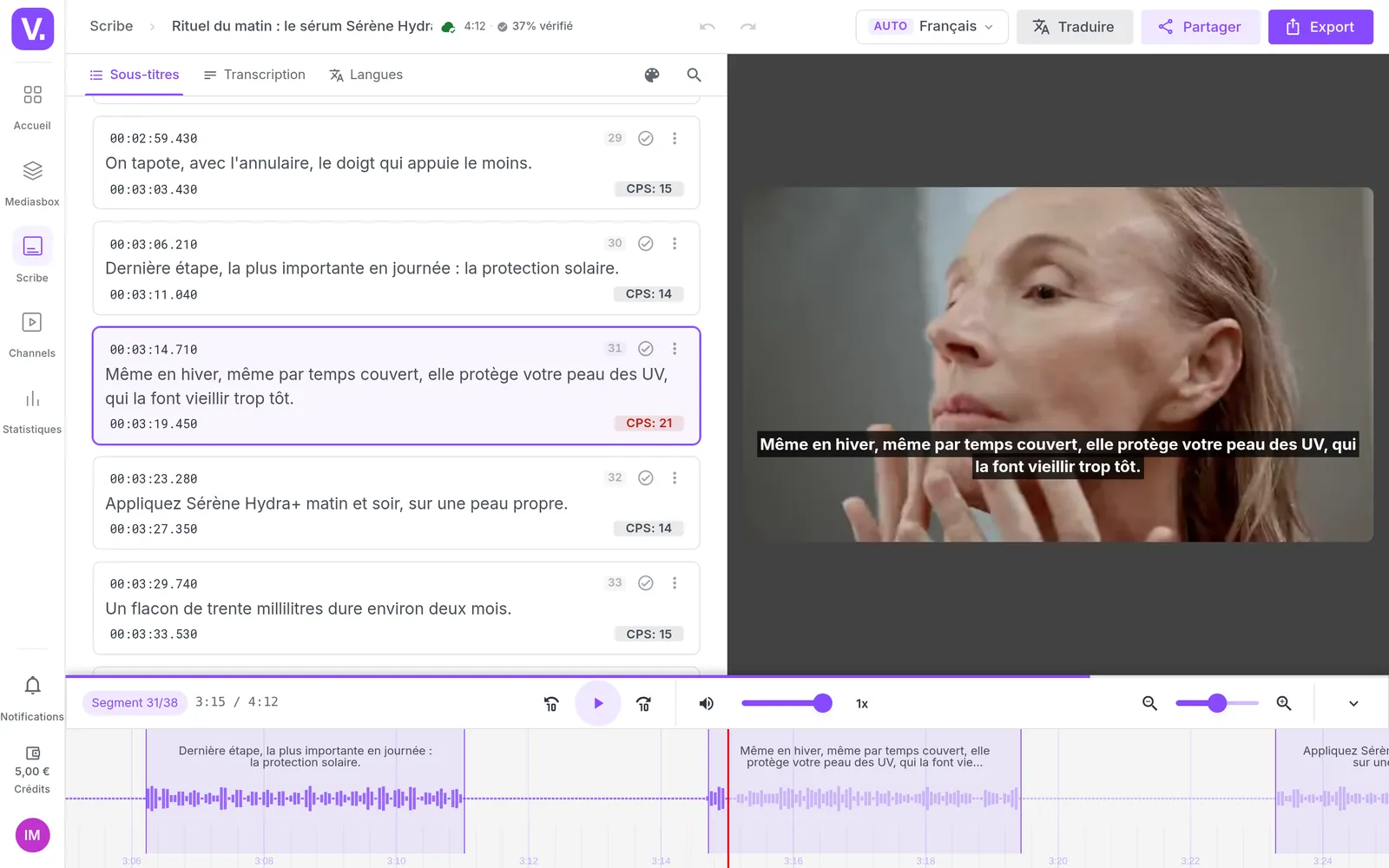
The subtitles are produced and translated by Scribe, proofread by the team, and every tutorial embeds in the help centre with the player.
Seeing which tutorial fails to explain
Without a single account, the company sees which lessons were started, which were finished and the minute where people stop. A drop-off at the same place for everybody is not about the customers: it points at the explanation to redo. The traffic sources say the rest, depending on whether the academy is found before support or after.
How it works, step by step
The academy
Public, at the product's address and in its colours: four paths, twenty-four tutorials, and the lesson in progress offered straight away to a visitor who has never created anything.
Coming in by the task
« Create my first schedule », « Invite my team », « Send an invoice »: each goal opens the right lesson. That is the customer's phrasing, not the menu tree.
A path
Nine tutorials in three modules, in the recommended order, with watched lessons ticked and the next one to resume. All of it without an account.
A lesson
Two to six minutes, one question and its answer. The subtitles are produced and translated by Scribe, then proofread, and the transcript shows under the video.
The short lessons
Tutorials under four minutes, gathered automatically on their length. For somebody stuck right now who will not open a whole path.
The final quiz
A few questions close the path. Having watched and having understood are not the same thing, and the customer checks it themselves.
The result
Question by question, with the right answer alongside. Taken without an account, like the rest of the path.
What works
Twenty devices, no accounts, and yet the detail lesson by lesson. On « Roles and permissions », two visitors in three leave around 1:15: that explanation needs redoing.
Where visitors come from
The software's help centre, a search engine, the company's own site. Enough to know whether the academy catches people before support, or only after.
What our customers say about us
Videas enabled us to create a genuine connection between our French and Canadian teams. The platform has become the go-to hub for our internal communications: every employee can access content in their language, react, and get involved, wherever they are.
The Videas Web TV has become a must-attend event for our teams. The weekly live streams with the CEO have transformed our internal communications: employees ask questions live, react, and get involved. We've gone from one-way communication to a genuine dialogue.
Your solution is top quality, your team is responsive and attentive, and the results amply exceed our expectations. We hope to work with you for a long time to come, as you contribute to our success.

Frequently asked questions
How do you publish video tutorials for software without asking for an account?
The academy is a Videas channel whose access mode is set in Settings, then Authentication. In Public or Optional users mode, the tutorials open without an account and stay visible to search engines. Required users mode reserves the whole channel to signed-in accounts, and cuts off organic visibility with it.
How do you stop support answering the same questions every month?
By publishing the answer where the customer looks for it: a public academy, filed by task, with one short lesson per question. A question typed into a search engine can land straight on the right tutorial, before it reaches support. And an answer that keeps coming back becomes a lesson, rather than an email rewritten each time.
Does a customer without an account keep their progress?
Yes: it is kept on their device. They come back the next day and the path offers them the next lesson, without them ever signing up. If they do create an account later, their progress follows instead of starting over.
How do you subtitle tutorials in two languages?
Scribe transcribes the video, then the editor's Translate button adds a track per language. On clean audio most of the words come through; the names of your screens and features are pinned in the glossary, and the rest is proofread in a few minutes. The transcript then shows under the tutorial.
Can a prospect watch the tutorials before buying?
Yes, if the academy is public: with no account and no password, the prospect wondering whether the tool does the job sees the gesture before coming in. The same content then works twice, for customers looking and for prospects evaluating.
How do you file tutorials by task rather than by software menu?
In paths and modules, in the order you recommend, the first one flagged Start here. Then through goals you write yourself, « Create my first schedule » rather than « Scheduling module », each opening the right lesson. That is the customer's phrasing, in the academy as in a search engine.
How long should a software tutorial be?
About two minutes, for one question and one answer. That is the right length for somebody stuck right now: they leave having done the thing, not having toured the product. The academy also gathers the shortest tutorials separately, filtered on their length.
Can a tutorial be embedded in the help centre or in the app?
Yes, with the player, like any other video. Two limits worth knowing: a lesson watched elsewhere does not count toward progress in the academy, and your software's accounts are not wired to the channel's, which is not another customer portal.
How do you update a tutorial when the interface changes?
By replacing the video's source file: the public address, the embed code and the links already sent stay the same and serve the new version, with statistics, description and tags preserved. If the length changes, check the chapter and subtitle timecodes afterwards, since they are kept as they were.
Who on the team can publish or fix a tutorial?
An Editor uploads, edits and organises videos; publishing to the channel is an Administrator's job. Subtitles, though, can be corrected by anyone with access to the video, with no dedicated role: the support person who spots a typo fixes it themselves.
Going further
More scenarios
All scenarios →Private companies
Train your teams with video they actually finish
Short lessons, progress that resumes, and a head office that sees who is moving.
Studios & production companies
Have your client approve the subtitles, line by line
The client reviews the subtitles line by line from a link, and the agency decides.
Creators & coaches
Sell your courses as a path, on a site of your own
Lessons in order, notes taken while watching, and tracking of who is moving.