Upload audio files and documents
Videas does not host video only: Mediasbox (your media library) also accepts audio files (podcasts, recordings, music) and documents (PDF, Word, PowerPoint, Excel and more). Uploading works exactly as it does for video — drag and drop, or New → Upload files — with the same automatic resume after a dropout. You need the Editor role (or higher).
Since the upload procedure is identical (see Upload your first videos to Videas), this article focuses on what differs for audio and documents.
Audio files
Supported formats
- Compressed: MP3, AAC, M4A, OGG, Opus, WMA
- Lossless: WAV, FLAC, ALAC, AIFF
Tip: for a podcast published online, MP3 or AAC offer the best trade-off between size and compatibility. Keep WAV and FLAC for masters and archives.
What Videas does after upload
- Web conversion: encoding to AAC/M4A for smooth playback on every browser and mobile
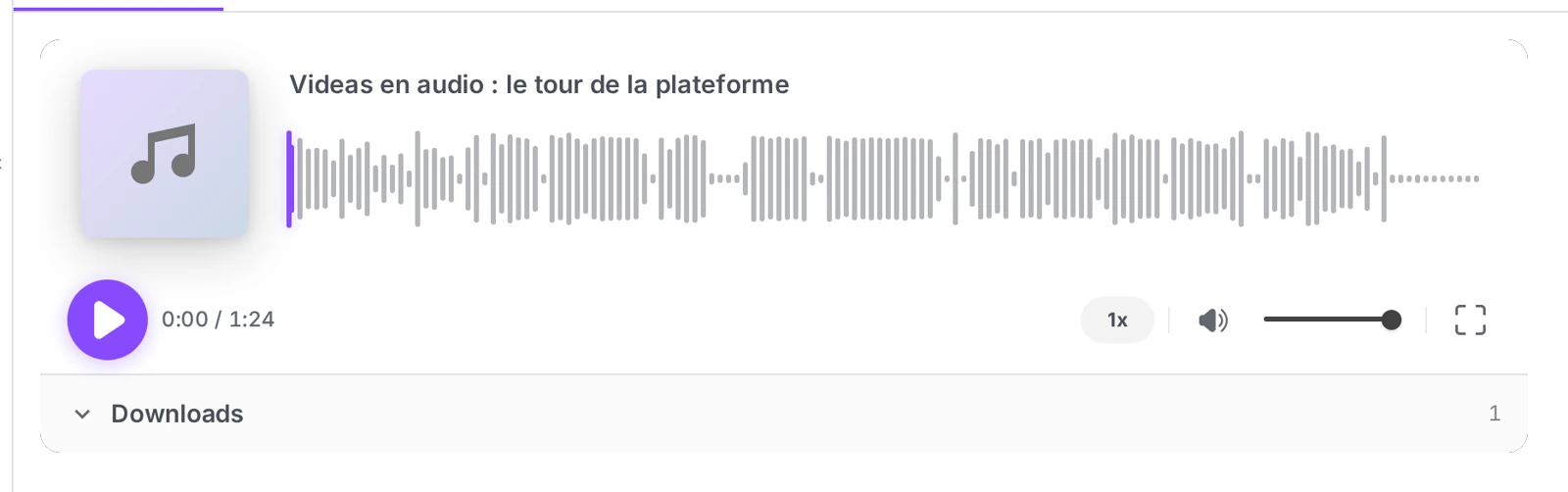
- Waveform: a visual representation shown in the player to make navigation easier
- Metadata: duration, bitrate, channels (mono/stereo) and ID3 tags (title, artist, album, cover art) if they are present
- Dedicated audio player: ready to share by link or embed on your site
Subtitles
Scribe transcription (subtitles) also works on audio, provided speech is detected: perfect for a podcast or an interview, with no effect on a purely musical file. Details in Generate a video’s subtitles automatically.
Documents
Supported formats
PDF, the Microsoft Office suite (Word, PowerPoint, Excel), the OpenDocument suite (Writer, Calc, Impress), text formats (RTF, TXT, Markdown, HTML, CSV) and ebooks (EPUB, MOBI).
Conversion and online reading
- Automatic conversion to PDF: Office/OpenDocument documents are converted server-side as soon as they are uploaded. Your readers open the file in a built-in PDF viewer, without needing Word or PowerPoint.
- OCR: a scanned PDF (with no selectable text) goes through optical character recognition so its content becomes searchable.
- Thumbnail: the first page becomes the thumbnail in Mediasbox.
- Indexing: the text is extracted and indexed, so it can be found through the Mediasbox search.
Tip: fill in the title and author of your PDFs before uploading — Videas picks them up and they improve search.
Attached files
You can upload a file as a file attached to an existing media item (a PDF handout attached to a training video, a transcript attached to a podcast). Attached files do not clutter Mediasbox: they stay attached to their parent media item, in the Files section of its page. See Attach files to a media item.
Troubleshooting
| Symptom | Likely cause | Solution |
|---|---|---|
| Format refused | Extension not recognised | Convert to MP3, AAC, PDF or DOCX as appropriate |
| No audio transcription | No speech detected (music) | Expected behaviour |
| PDF not searchable | Scanned without OCR at the source | Videas applies OCR — wait a few minutes |
| Office conversion fails | Protected or corrupted file | Remove the protection and upload again |
Can I subtitle an audio file, or only a video?
An audio file is subtitled exactly like a video. Scribe analyses detected speech, not the picture: a podcast, an interview or a recorded meeting all produce a full transcript. A piece of music with no voice, on the other hand, will produce nothing — that is expected behaviour, not an error.
The resulting transcript then serves the same purposes as on a video: editing in Scribe, translation, and summaries and keywords from the AI assistant.
Do my viewers need Word or PowerPoint to open a document?
No. Videas converts every Office and OpenDocument file to PDF automatically, server-side, as soon as it is uploaded. Your viewers read them in a built-in PDF viewer, straight in the browser, with nothing to install.
The conversion also produces a thumbnail (the first page) and extracts the text so it can be indexed, which makes the document findable through Mediasbox search.
Why is my scanned PDF not turning up in search?
Because a scan is an image: it holds no selectable text until it has been analysed. Videas runs optical character recognition (OCR) on those PDFs to extract their content, but the operation takes a few minutes after upload.
If the document is still missing after that, check the quality of the scan: a blurry, heavily skewed or very low-resolution document defeats OCR.
Should I upload a handout as a media item or as an attached file?
As an attached file, if it only makes sense next to another item — the slides for a training video, the transcript of a podcast. It stays tied to its parent media, in the Files section of its page, and does not clutter your media library.
Upload it as a media item in its own right in the opposite case: a white paper, a report or a brochure that is read, shared and published for itself.
In short
- Mediasbox centralizes videos, audio, documents and images in one place, with the same upload as video
- Audio is converted to AAC for the web, with a waveform and ID3 metadata
- Office documents are converted to PDF for online reading; scanned PDFs go through OCR
- A file can be uploaded as an attached file to link it to a parent media item
- Uploading requires the Editor role (or higher)
Related articles
Screenshots were taken on Videas Academy, an example channel built for this help center. It belongs to a fictional customer, not to Videas: your own channel carries your name, your branding and your prices.