Film production
Deliver the broadcaster its interview transcripts
Eleven hours of interviews, a Word per speaker and the editor's spreadsheet.











Interview transcripts in Word come out of Videas Scribe turn by turn, each paragraph opened by the timecode, the speaker's name and their role. Scribe detects the changes of voice, you name each voice once, and the same export exists as a spreadsheet or plain text. The timecode is the position in the file, not the camera's.
“Les Films de la Laisse” is a documentary production company invented for this walkthrough. Camille Fabre produces, Hugo Lemercier directs, Inès Morvan prepares the deliverables for a fifty-two-minute film commissioned by a documentary channel.
Interview transcription, still done by hand
Fourteen interviews, eleven hours of rushes, and a broadcaster that wants, for each one, a transcript carrying the timecode, the name and the role of every person before their words.
Until now Inès has them transcribed elsewhere, then copies the names, the roles and the timings into a document, turn by turn. The editor, meanwhile, asks for the same thing as a spreadsheet.
Who is speaking, named once for the whole interview
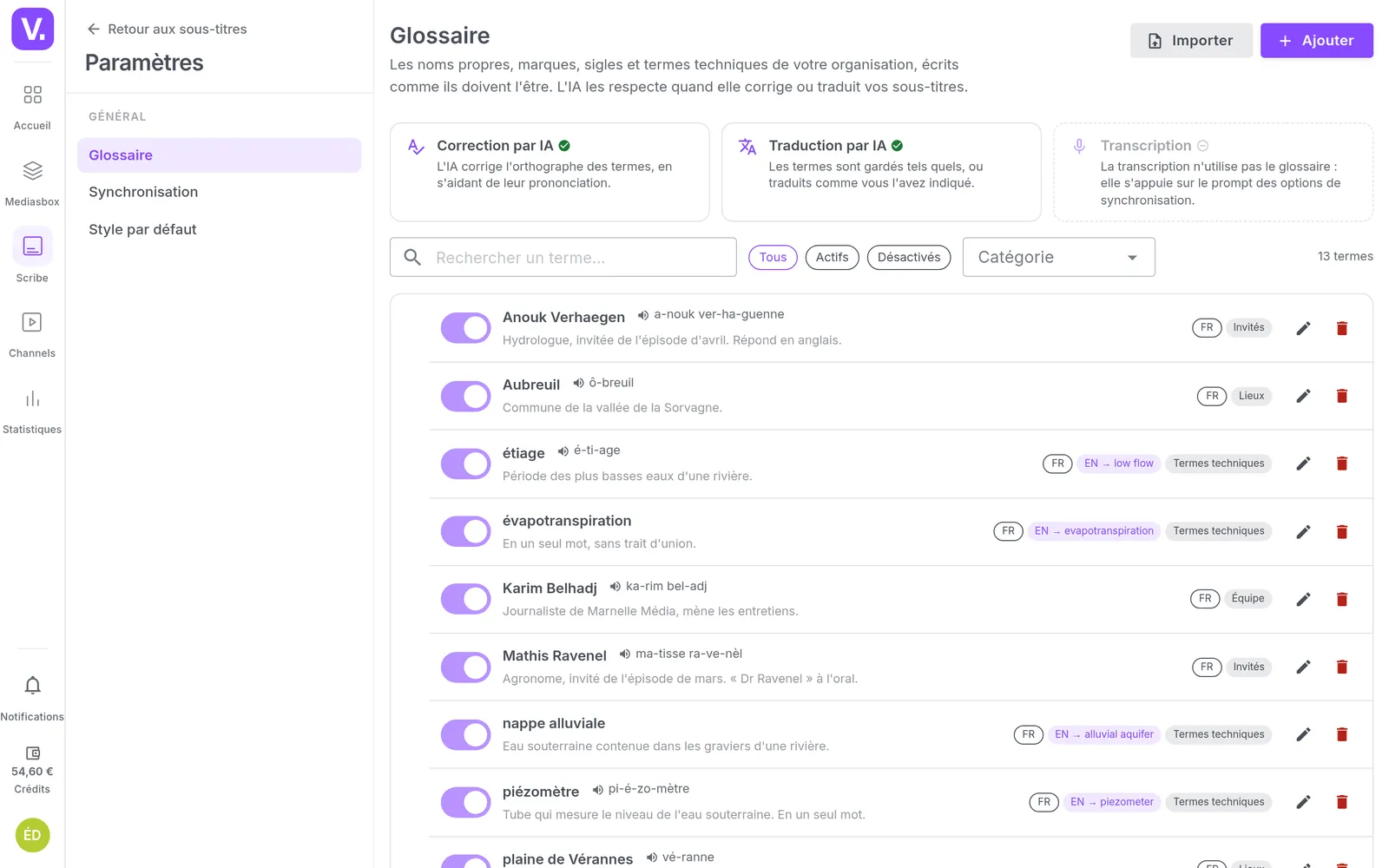
Scribe transcribes each interview, and the production’s glossary gets the fishermen’s names, the bay’s place names and the trade’s vocabulary spelled right. The cost shows before anything is launched.
Then comes the part that changes the work: Scribe spots the changes of voice, and Inès names each voice once, in the format the channel expects. The name applies to every turn that person takes.
It is an aid, not an oracle. A brother who speaks three times was not separated: Inès adds him by hand and assigns his lines. That is the one part of the work that stays manual, and it takes a few minutes rather than an afternoon.
A transcript in Word, in a spreadsheet or in plain text
The transcript export returns the text turn by turn, in three formats. The Word opens each paragraph with the timecode, the name and the role: that is the broadcaster’s deliverable, without a single timing being copied. The spreadsheet gives the same data in three columns, which the editor filters on one person to find their passages. The plain text serves whoever only wants the words.
The timecode is the position in the file, from zero: it is not the camera’s. And the names live in this export, not in a subtitle.
The route works for a magazine show or a report as well as a documentary: only the recipient of the file changes. To have an interview checked by somebody outside, that is the subject of another scenario.
How it works, step by step
The rushes
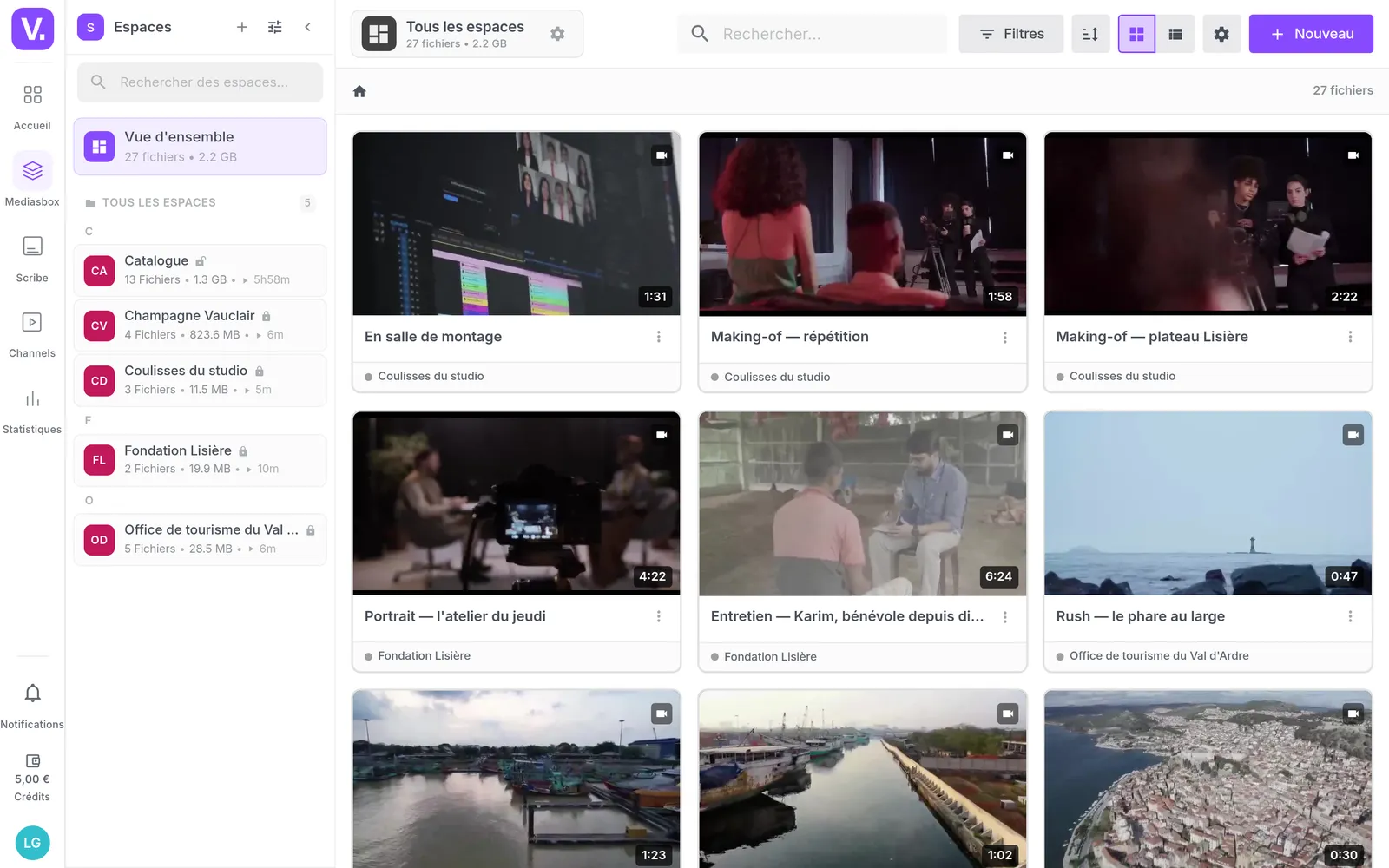
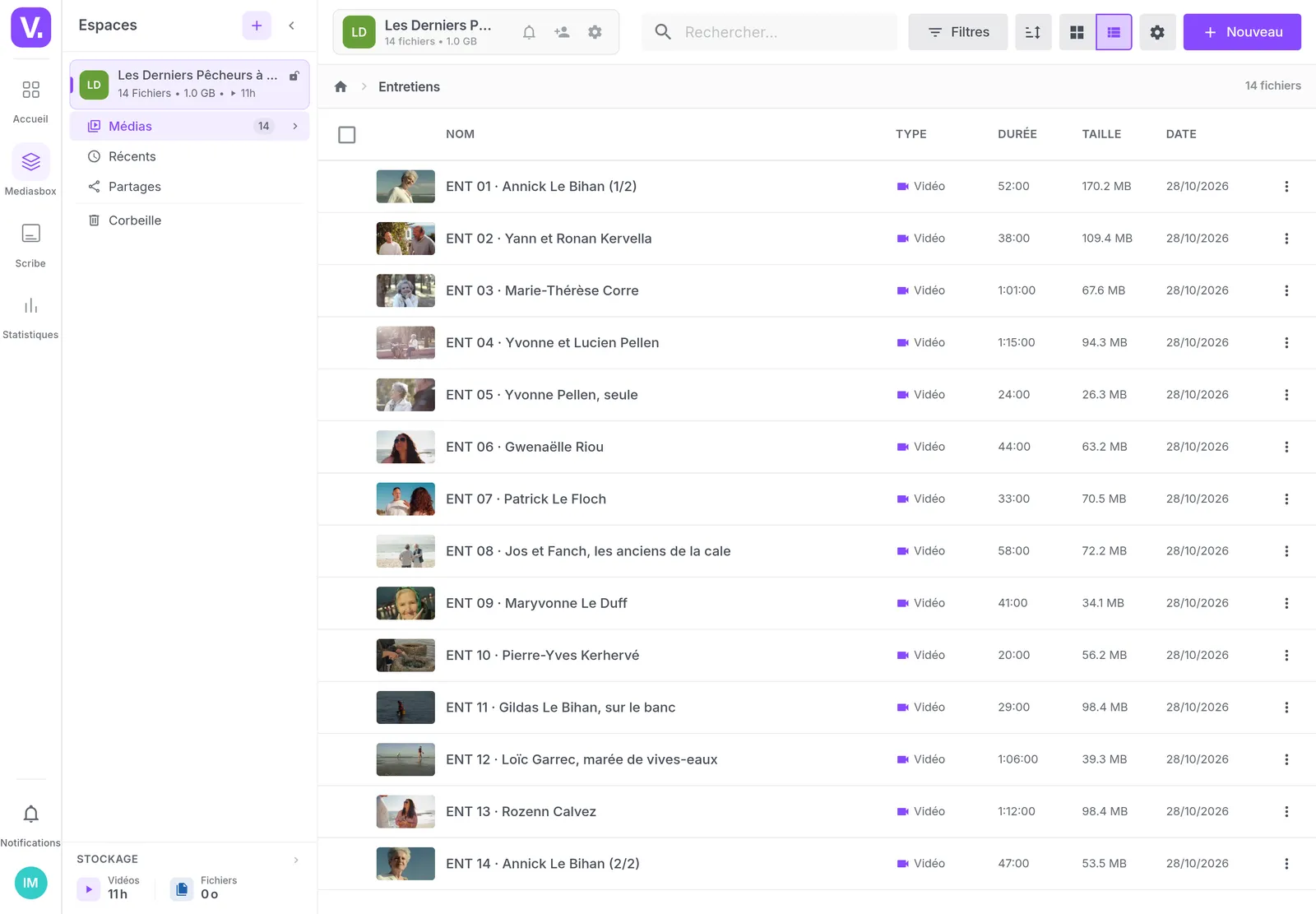
Fourteen interviews of twenty to seventy-five minutes, about eleven hours, filed by film. They stay there, with their versions: transcribing moves nothing.
Launching the transcription
The cost shows first, per started minute and per language produced. The screen states the ceiling while the spoken language has not been detected; automatic correction is included.
The speakers
Each voice is named once, in the format the broadcaster expects: the name, then the role. The name then applies to all of that person's turns.
Adding a voice
The detection is an aid, not an oracle: the brother who speaks three times was not separated. Inès adds him and assigns his lines. It is the one part of the work that stays manual.
The transcript by speaker
The text reads turn by turn, under the name of who is speaking. That is already the shape of the deliverable, before it is even exported.
The export
One piece of work, three files: the Word for the broadcaster, the spreadsheet for the editor, the plain text for whoever only needs the words.
The Word delivered
Exactly what the channel asked for: the timecode, the name, the role, then the words. Nobody copied a single timing. The layout is plain, to restyle if a template demands it.
The editor's spreadsheet
One row per turn, three columns. The editor filters on a person and finds their passages without reopening eleven hours of rushes.
What our customers say about us
Your solution is top quality, your team is responsive and attentive, and the results amply exceed our expectations. We hope to work with you for a long time to come, as you contribute to our success.

Frequently asked questions
How do you transcribe a filmed interview?
You upload the file, launch the transcription in Scribe, and see the cost first: 0.10 € per started minute and per language. Automatic correction is included. A seventy-five-minute interview goes through like a twenty-minute one, and the upload resumes after a dropped connection.
How do you get a transcript as a Word document?
Through the transcript export, which gives the text turn by turn: in Word, one paragraph per turn, opened by its timecode and then the person's name and role. The same export exists as a spreadsheet and as plain text.
Can you tell who is speaking in a multi-person interview?
Scribe spots the changes of voice, and you name each voice once, as name and role. The name then applies to all of that person's turns. It is an aid, not an oracle: two close voices can be confused, and the team checks.
What about a voice the detection did not separate?
You add it by hand in the Speakers tab, then assign it to its lines, one by one. The person who speaks twice in the interview ends up named like the others.
Can the editor have the transcript as a spreadsheet?
Yes, the same export in spreadsheet form: one row per turn, three columns, timecode, speaker and text. They sort and filter in their own spreadsheet to find a passage during the edit, without reopening the rushes.
Which timecode does the export use?
The position in the video file, starting at 00:00:00. It is not the camera's timecode and not an edit suite's starting elsewhere, and it does not go down to the frame.
Do the speakers' names appear in the subtitles?
No. They live in the transcript export, in the JSON export and in the player, not in an SRT or a VTT. An automatic translation does not keep them either: they stay on the track where you entered them.
Can the Word file carry the broadcaster's template?
The document comes out with plain layout, no logo and no template: it is a raw deliverable, which you then restyle in your word processor if the channel imposes one.
How do you get the film's names and vocabulary spelled right?
Through the organisation's glossary: the contributors' names, the places, the trade's terms, with their pronunciation and their context. Correction uses it across the whole interview, and translation respects it.
Does this work for anything other than a documentary?
For any production made of filmed interviews: a magazine show, a report, a series of brand interviews. The recipient of the file changes, the route does not.
Going further
More scenarios
All scenarios →Studios & production companies
Have your client approve the subtitles, line by line
The client reviews the subtitles line by line from a link, and the agency decides.
Studios & production companies
Store, deliver and sell your films from one place
Eight terabytes, three clients and a catalogue on sale, brought back together.
Private companies
Turn your interviews into text without replaying them
One transcript, corrected once, serves the article, the subtitles and the public.