Chapters & transcript
Chapter navigation, progress bar markers, and searchable transcript.
Preview
Props & interactive options
| Prop | Type | Default | Description | Try it |
|---|---|---|---|---|
| show_chapters | url param | 1 | Show chapter navigation button. |
Try it in the player
Chapters
Markers appear on the progress bar. Open the chapters panel to see all sections and jump to any one.
Transcript
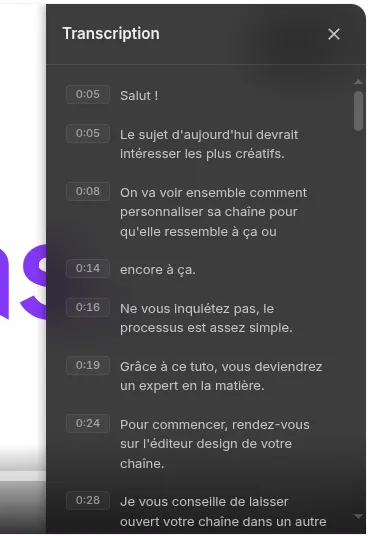
Click the transcript button to open the synchronized text panel with timecodes and full-text search.
Documentation
When a video has chapters defined, they appear as visual markers on the progress bar and are listed in a dedicated panel. Clicking a chapter jumps to its start position. The transcript panel displays the full text of the video synchronized with playback: each cue shows its timecode, the active cue is highlighted in real time, and clicking any cue seeks to that moment. The transcript also supports full-text search to quickly find a specific passage. Use the toggle above to show or hide the chapters button in the control bar.

Code
<div style="padding:56.25% 0 0 0;position:relative;">
  <iframe
    src="https://app.videas.com/embed/019dcf5b-0c22-731c-8e3c-d24264812bd5/?show_chapters=0"
    width="100%" height="100%"
    frameborder="0" allowfullscreen
    allow="autoplay; fullscreen; picture-in-picture"
    style="position:absolute;top:0;left:0"
  ></iframe>
</div>
Frequently asked questions
Are chapters and transcript generated automatically?
Yes — Videas uses AI transcription to produce a full transcript on upload, then segments it into chapters with titles. You can review, rename or delete them from the dashboard before publishing, or define chapters manually if you prefer.
Can viewers search inside the transcript?
Yes. The transcript panel includes a search field that filters cues in real time and highlights matches. Clicking a result immediately seeks the video to that moment.
How do I hide the chapters button without removing chapters?
Pass show_chapters=0 in the embed URL — the chapters stay defined on the video (so the progress-bar markers and deep-links still work), but the dedicated panel button is hidden from the control bar.