










Client video review

Get a video approved right where it is already hosted

Frame-accurate comments, stacked versions, sign-off version by version: the approved video is already ready to publish.

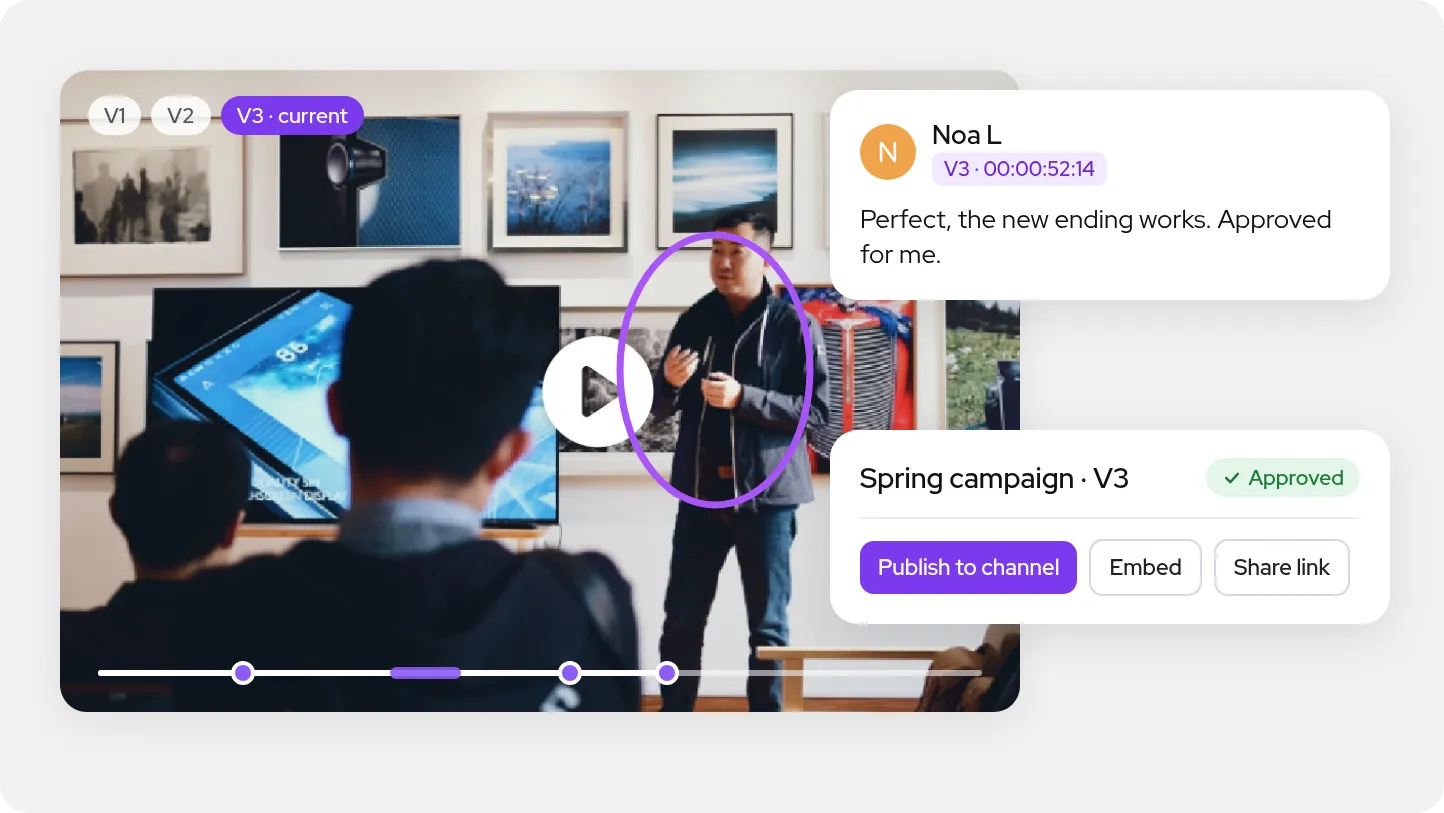
Video player with versions V1 to V3 and comments on the timeline, a timecoded note approving V3, and buttons to publish it to a channel, embed it or share it
ONISEP
AFNOR
Ville de Roubaix
Safran
France-Soir
Crédit Agricole
France Travail
Magnard-Vuibert
Sodiaal
Yoplait
Call

Client video review, in practice

Videas is a video feedback tool built into the platform that already hosts the video: your clients comment at a timecode or over a range, draw on the frame, then approve or ask for changes, version by version. Nothing to export to a review tool, nothing to import back afterwards: the approved version is the one you publish and embed.

What slows down getting a cut approved.

  • Feedback by email, "around the two-minute mark"?

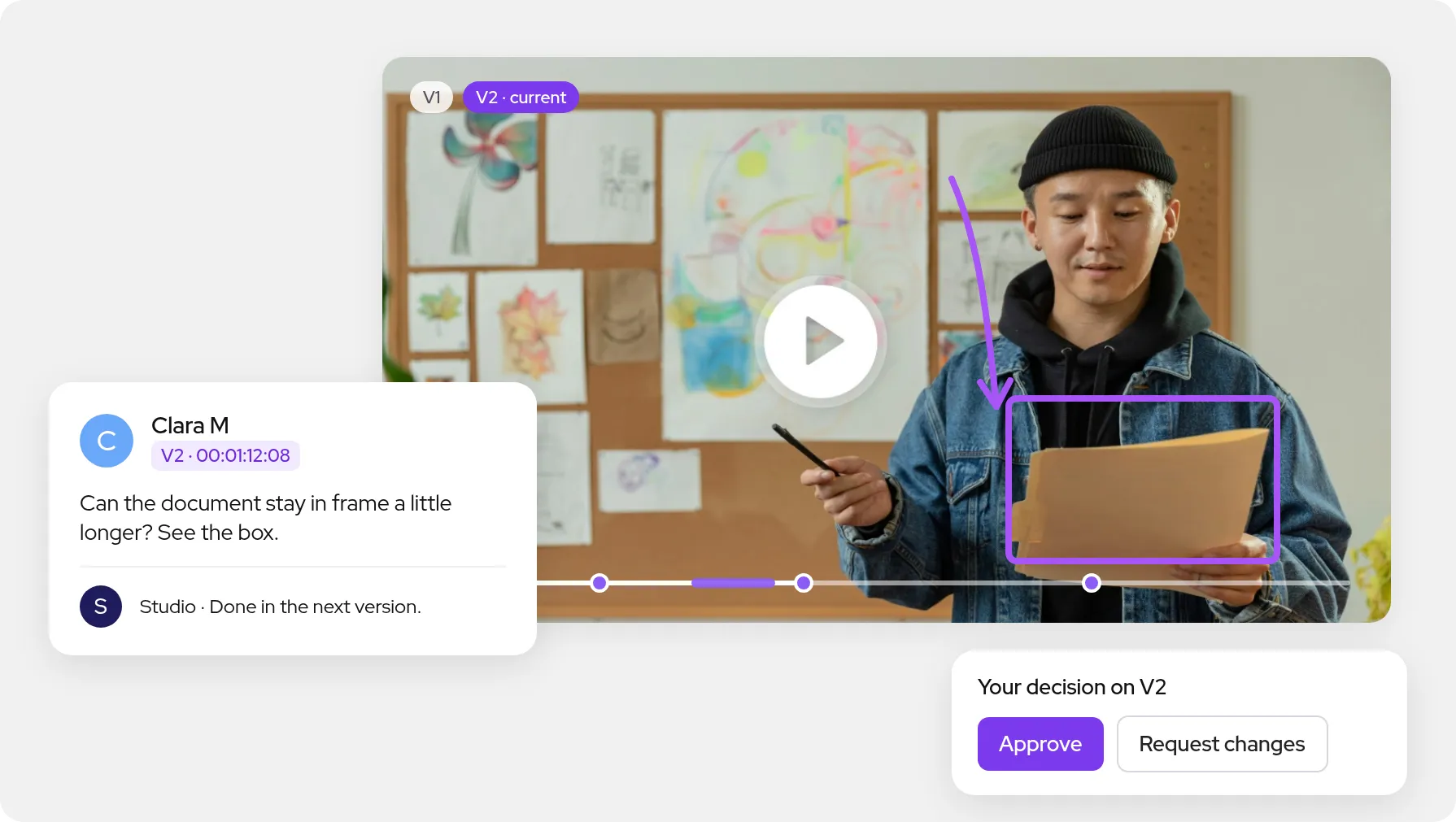
    In Videas, every comment carries its timecode down to the frame, or a range with a start and an end. Clicking the comment takes the player back to the exact spot.

  • One tool to review, another to publish?

    The video never leaves Videas to be reviewed: no export to a review service, no import back once it is approved. The media your clients review is the one you already host.

  • Nobody knows which version was approved?

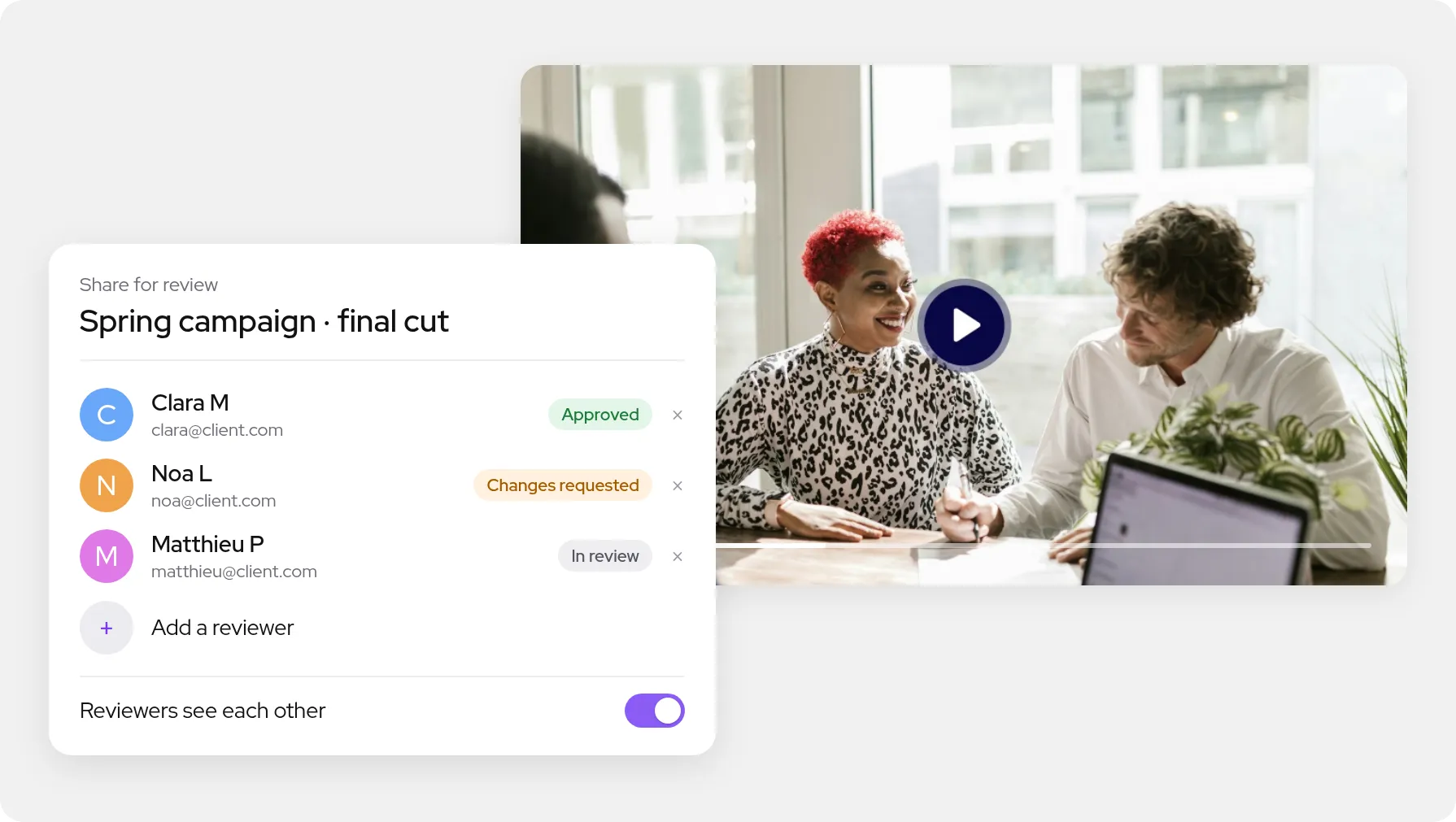
    Every piece of feedback stays tied to the version it was written on, and every reviewer decides on the latest one. The status reads at a glance: in review, changes requested or approved.

  • An account to create just to give feedback?

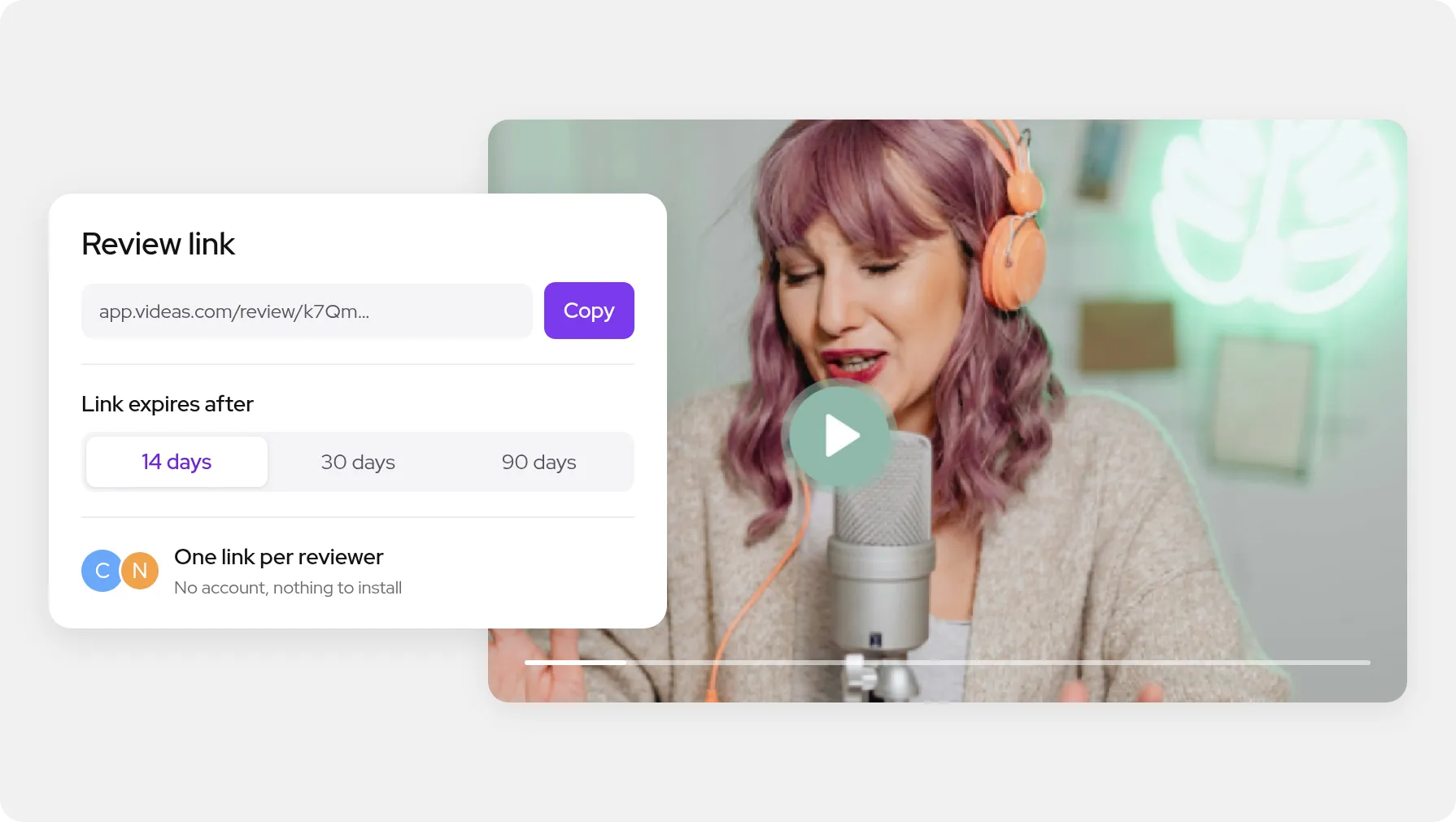
    Your reviewers get a personal link by email, or join the review with their name and address. No account, nothing to install, and no licence to pay per reviewer.

A full review, on the video you already host

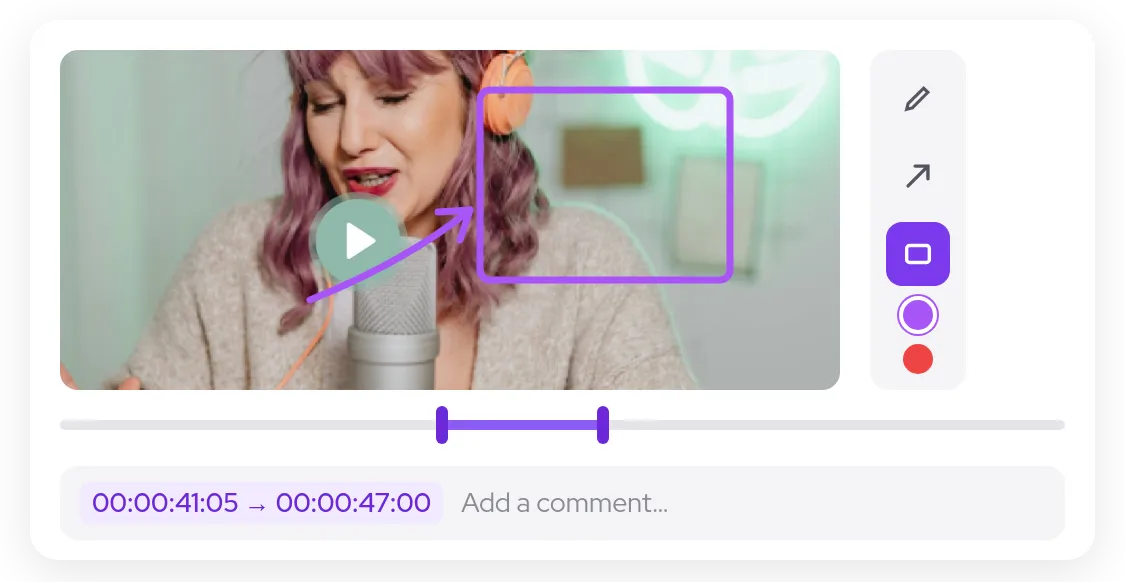
A paused frame with a box and an arrow drawn on it, the drawing toolbar and a comment over a range

Comments down to the frame

The reviewer pauses and types: the comment carries its timecode, frame included. For a whole sequence, they set a range that plays in a loop. On the paused frame, they draw with a pen, an arrow or a rectangle to show what they mean, and everyone replies in the comment's thread.

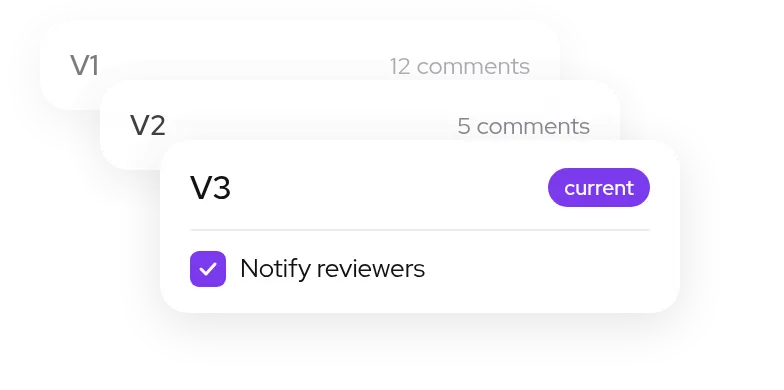
Three stacked versions, V1 and V2 with their comments, V3 current with the option to notify reviewers

Versions stack up, feedback stays

Upload V2 to the same media: the review link follows the latest version without changing address, and your reviewers can be told by email. V1's feedback stays filed under its own tab, readable alongside its version.

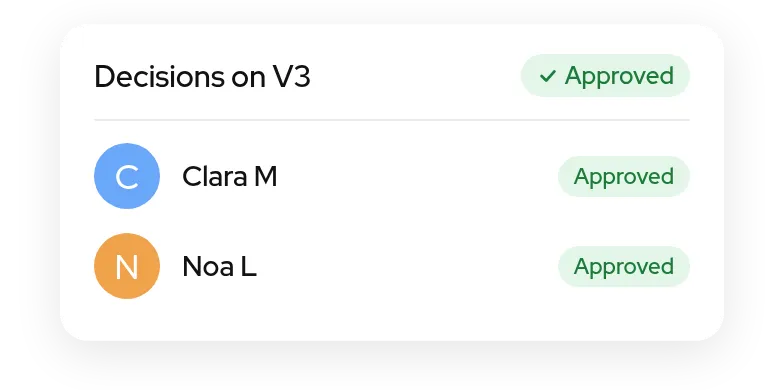
Decisions on V3: two reviewers approved, and the version is approved

One sign-off per version

Each reviewer approves the current version or asks for changes. You see everyone's decision, and the media's page says where the review stands, with no spreadsheet to keep on the side.

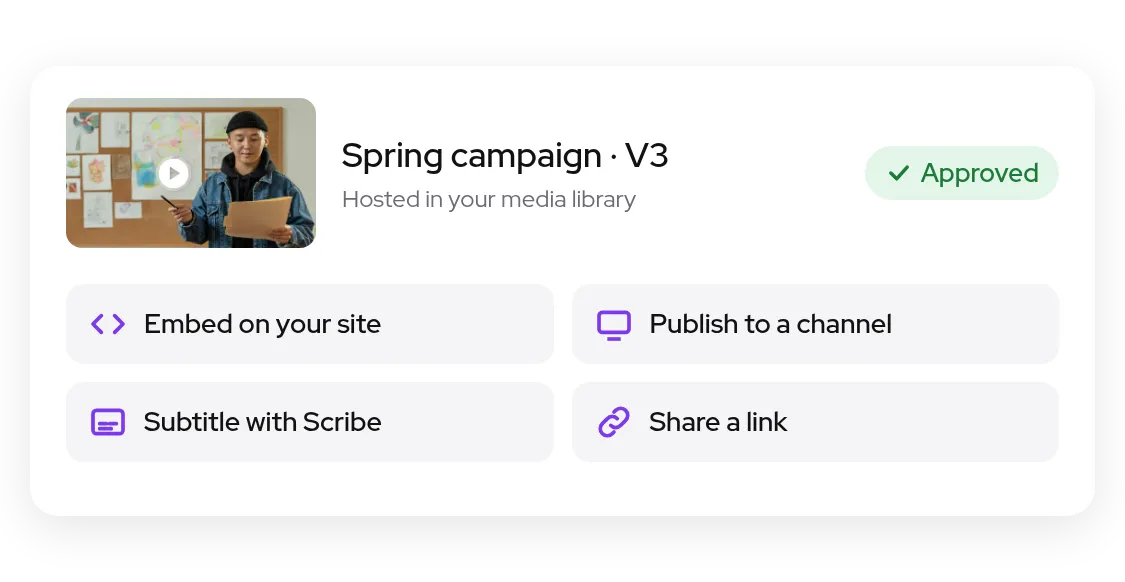
An approved version, hosted in the media library, with actions to embed, publish to a channel, subtitle and share

Approved, and ready to publish

The approved version does not have to leave Videas to go live: it is already in your media library. Embed it on a site with your player, publish it to a channel, subtitle it with Scribe or deliver it by link, all from the same media.

What everyone sees during the review

They open their link in a browser, with no account, watch the current version or an earlier one, comment, draw and reply. Then they give their decision on the latest version: approve it, or ask for changes.

The reviewer
Your team
Several reviewers
The link

They already get their videos approved in Videas

  • 4school brands, reviewed by outside authors with no account

    Reviewing a clip before it goes into the textbook

    At Magnard-Vuibert, clips bound for textbooks are reviewed by authors and reviewers who are not on the payroll. They open the video with no account and no download, and the file never leaves its brand's space.
    Read the Magnard-Vuibert case study

  • 26regional video libraries, and videos approved from outside

    Getting sign-off without sending a file

    At France Travail, an outside contributor gets an address and watches the video in their browser, with no multi-gigabyte download and nothing to install. The approved video stays in the library that publishes it.

    Read the France Travail case study

What Videas does not do

Videas does not edit your videos, and has no panel inside Premiere Pro, After Effects or DaVinci Resolve: you export from your editing software, then upload the new version in your browser. Review starts with the first exported cut, not during the shoot.

What does a review cost?

  • €0.20

    per hour of stored video, each month

  • €0.02

    per gigabyte delivered, first TB free each month after your first top-up

  • €0

    per reviewer, as many as you like

There is no subscription and no per-seat price: you pay for storage and delivery, never for the number of people reviewing. You top up a credit wallet when you decide to. Fifty hours of kept cuts come to €10 a month, and our team moves your existing videos over for free.

See pricing in detail

Frequently asked questions

How do I get a client to approve a video?

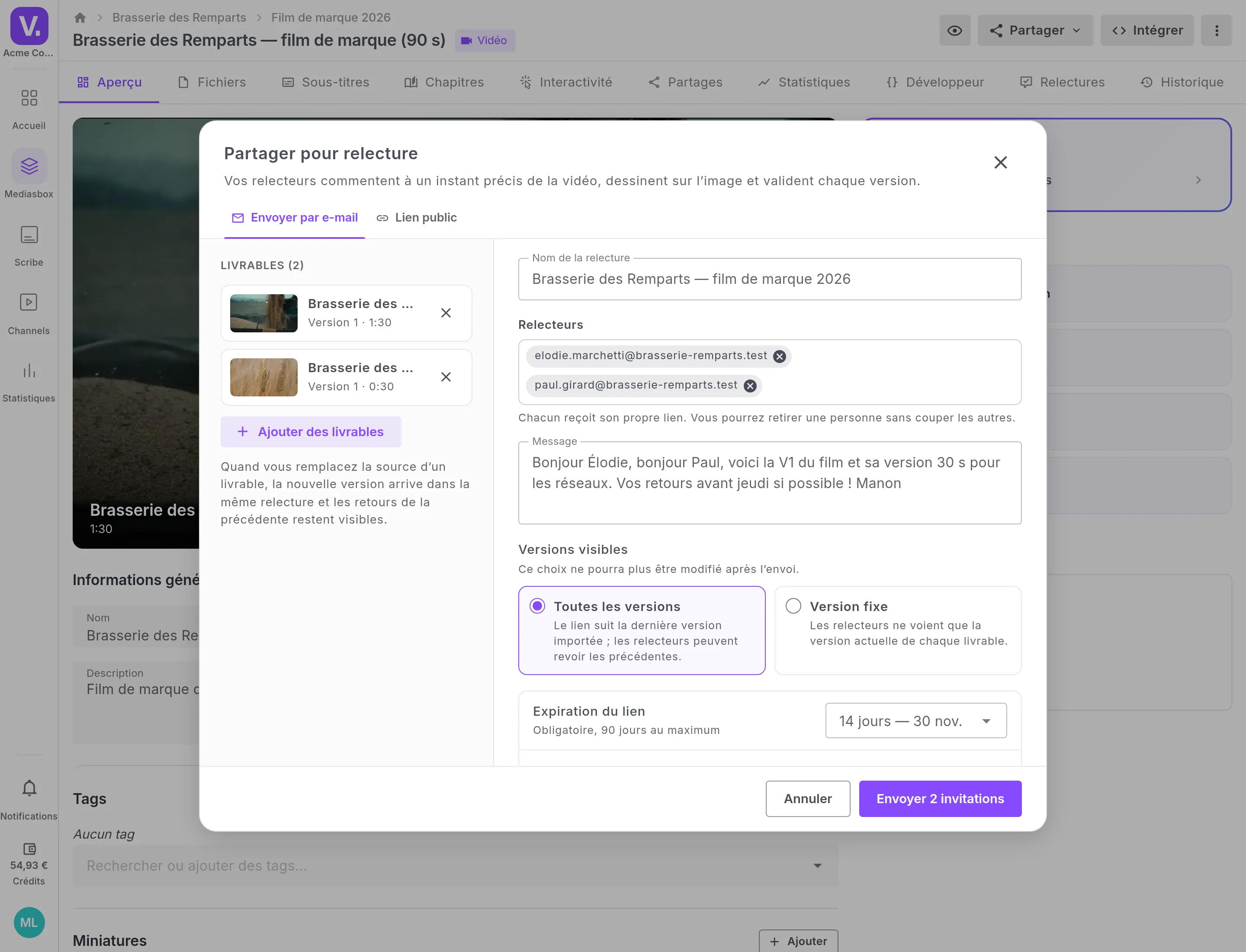
From the media's page in Videas, choose Share for review, add other videos from the same workspace if you need to, then your reviewers' addresses. Each one gets their own link by email. You can also create a review link you hand out yourself: each person joins it with their name and address.

Does the client need an account to comment?

No. The reviewer opens their link in a browser, on a computer or a phone, and Videas only asks for the name to show beside their comments. There is nothing to install, and their email address is never shown to the other reviewers, only to your team.

Can a reviewer comment on one frame, or a whole sequence?

Both. A comment made while paused carries its timecode down to the frame, in hours, minutes, seconds and frames. For a sequence, the reviewer sets a range, a start and an end, which plays in a loop. They can also draw on the paused frame with a pen, an arrow or a rectangle.

How do I handle several versions of the same cut?

Upload the new version to the same media: the review link shows it straight away, without changing address. Every comment stays tied to the version it was written on, and V1's feedback can be read under its own tab. When you send the review, you can also lock it to a single version.

Are reviewers told when a new version is ready?

Yes, if you want them to be. When you upload the new version, a box ticked by default emails each reviewer that V2 is ready, with their own link. Your team's replies reach them by email too, grouped together, and every message carries a link to stop receiving them.

How does the client approve a version?

On the latest version, each reviewer chooses to approve it or ask for changes, with a message if they want. You see everyone's decision, and the media's page shows where the review stands: in review, changes requested, or approved once every reviewer has signed off.

Does the client see the team's internal discussion?

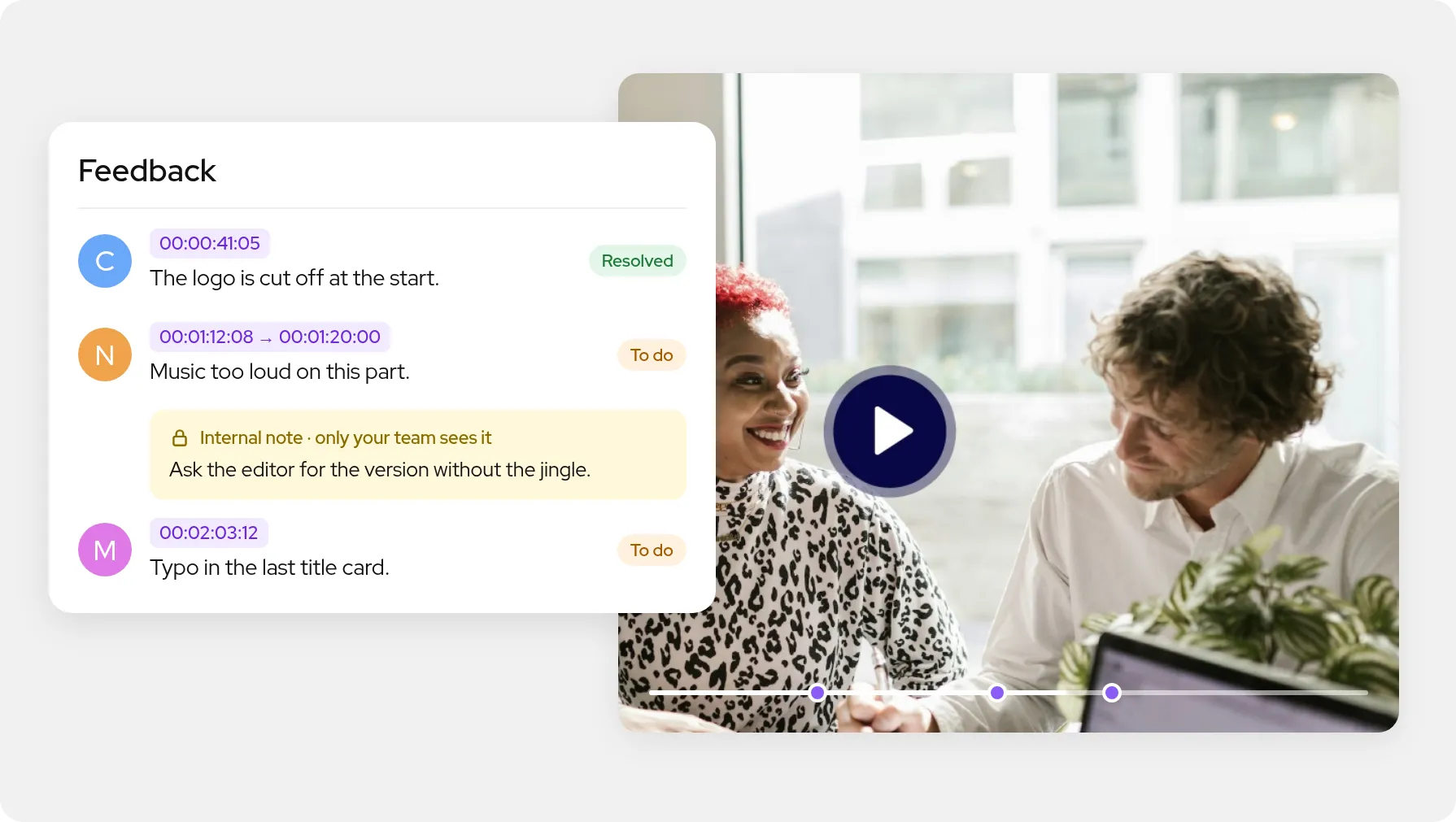
No. Your team can write an internal note on a comment or in a reply, and that note never appears on the client's side, nor in the emails sent to them. Team members also mark each piece of feedback as resolved or still to handle, and a reviewer can reopen one marked resolved.

Do several reviewers see each other's comments?

You decide when you send the review: either every reviewer sees everyone's comments, or each one sees only their own and your team's replies. The setting applies to the whole review and does not change afterwards, so nobody finds out later who has been reading their remarks.

How long does a review link stay open?

Fourteen days by default, thirty or ninety if you prefer: a review always has an end date. Reviewers watch the video streamed, without getting the file. You can remove a reviewer at any time without cutting off the others' links, or add someone after the review has been sent.

What happens to the video once it is approved?

It stays where it is: in your Videas media library, already encoded and hosted. You embed it on a site with your player, publish it to a channel, subtitle it with Scribe or deliver it by share link, without exporting it or handing it to another service. The review's history stays attached to the media.