Video agency
Get a video approved by your client, without the email back-and-forth
The client comments on the cut at the timecode from a link, and the agency knows who approved what.











Who it is for
You send cuts to clients or managers who have to approve them.
What it settles
- The client comments at the timecode, with no account
- V2 arrives under the same link, feedback filed by version
- You know who approved what, video by video
Products used
For client video approval, Videas sends the cut for review through a link, from the Mediasbox where it is already hosted. The client comments at a timecode or over a range, draws on the frame, then approves or requests changes, with no account. V2 arrives under the same link, and the team sees who approved what.
“Studio Hublot” is a video agency invented for this walkthrough, as are its client and everyone named here. Manon Lefort runs the projects, Yanis Ferrer edits, Clara Duval does the motion design. Their invented client, the craft brewery “Brasserie des Remparts”, has ordered a 90-second brand film and a 30-second cut-down for social media.
Feedback by email, timecodes copied out by hand
V1 goes out through a transfer link. The feedback comes back scattered: an email from the marketing manager, a voice message from the co-founder, a spreadsheet where somebody wrote “around 0, the music is too loud”. The editor hunts for the frame in question, and the project manager reconciles opinions that contradict each other.
At V2 it all starts again, with one more question: was that remark about the old export or the new one? And when the time comes to deliver, nobody can say whether both decision-makers actually signed off.
Video review with no account, down to the frame
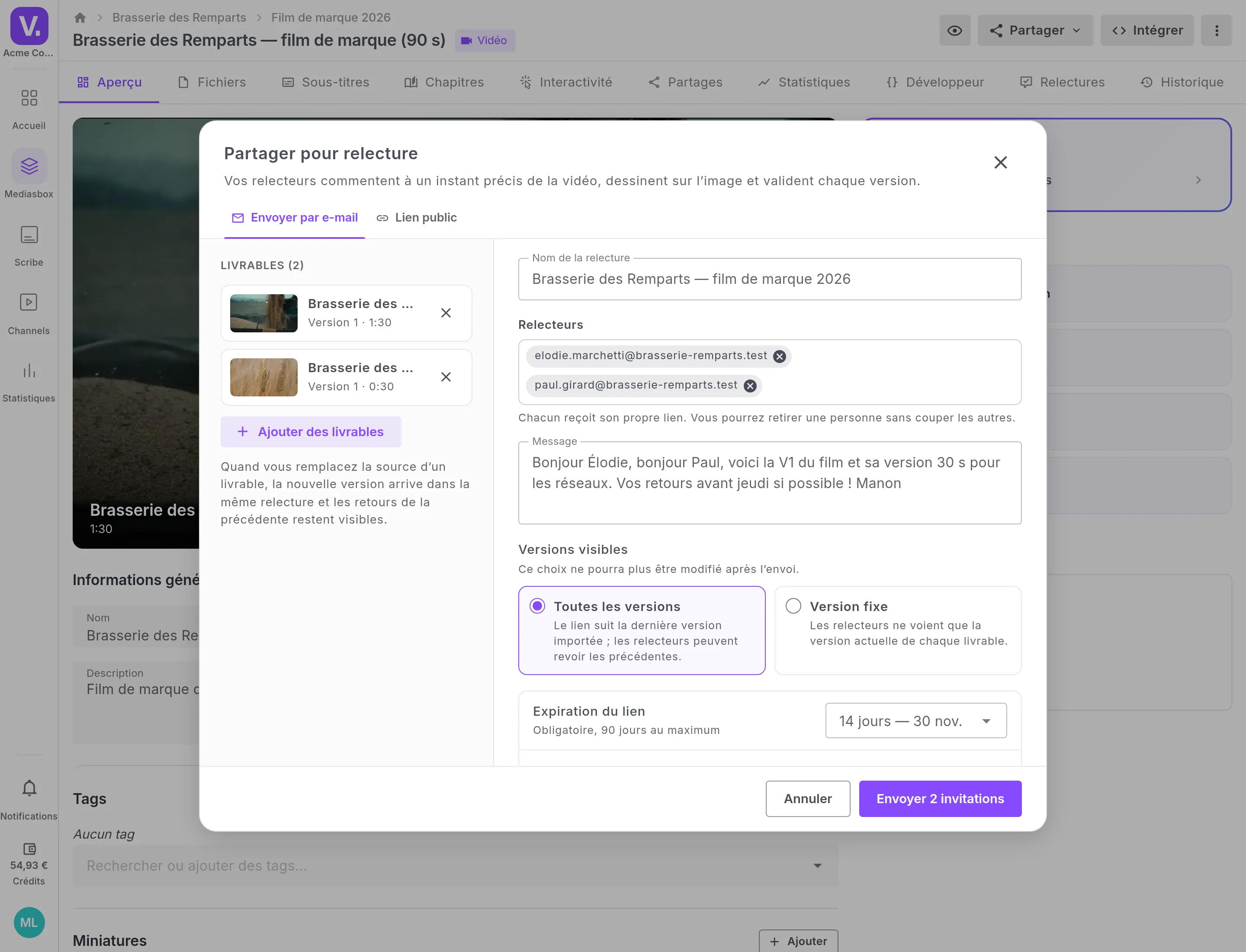
Manon sends both videos for review from Mediasbox, where they are already hosted. Nothing to transfer: Élodie Marchetti, the brewery’s marketing manager, and Paul Girard, its co-founder, each receive a personal link by email, under the agency’s logo. They review in their browser, without creating an account.
Every remark lands where it applies. A comment typed while paused carries its timecode, down to the frame. For a passage, the reviewer sets a range and plays it in a loop. And when words fall short, they draw on the frame: an arrow, a rectangle, “the logo here, bigger”. Annotating a video becomes quicker than writing the email that describes it.
On the agency’s side, the feedback arrives in the same player. Manon replies in the thread, Yanis and Clara coordinate through internal notes the client never sees, and each comment is marked as handled once fixed. The client can reopen it if they disagree.
The client video review page describes all of this feature by feature.
A Frame.io alternative, where your videos are hosted
Frame.io is the tool people think of for reviewing a cut. Videas starts from a different place: the video is reviewed where it is hosted, and where it will be published next. Studio Hublot does not keep one tool for approval and another for publishing, and the brewery only learns one page.
If you are weighing the two, the page Videas, a Frame.io alternative sets out the differences point by point.
V2 under the same link, and each reviewer’s decision
Yanis uploads V2: it arrives under the same link, and the reviewers are notified by email. The V1 comments stay attached to their version, so it is always clear which cut a remark was about.
Each reviewer then gives a decision, video by video: approve, or request changes. Paul approves the film; Élodie still wants a different shot in the 30-second version. The agency is notified at that point, and sees at a glance who approved what. At V3, both videos are approved.
Inès Roux, from the brewery’s communications agency, reviews the 30-second version separately, in a review opened by public link: she gives her name and email address, and comments like everyone else.
After video approval, the film is already in place
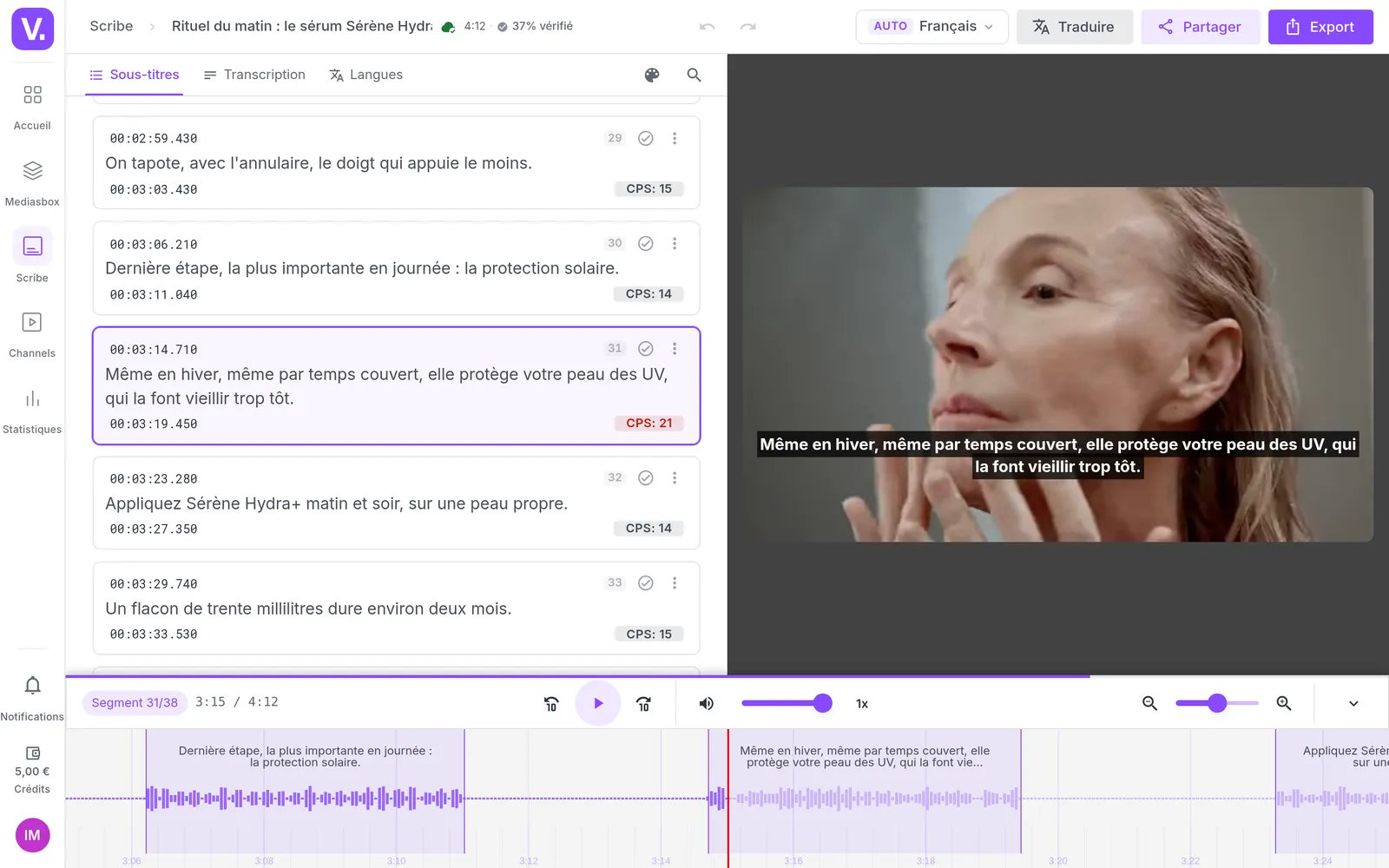
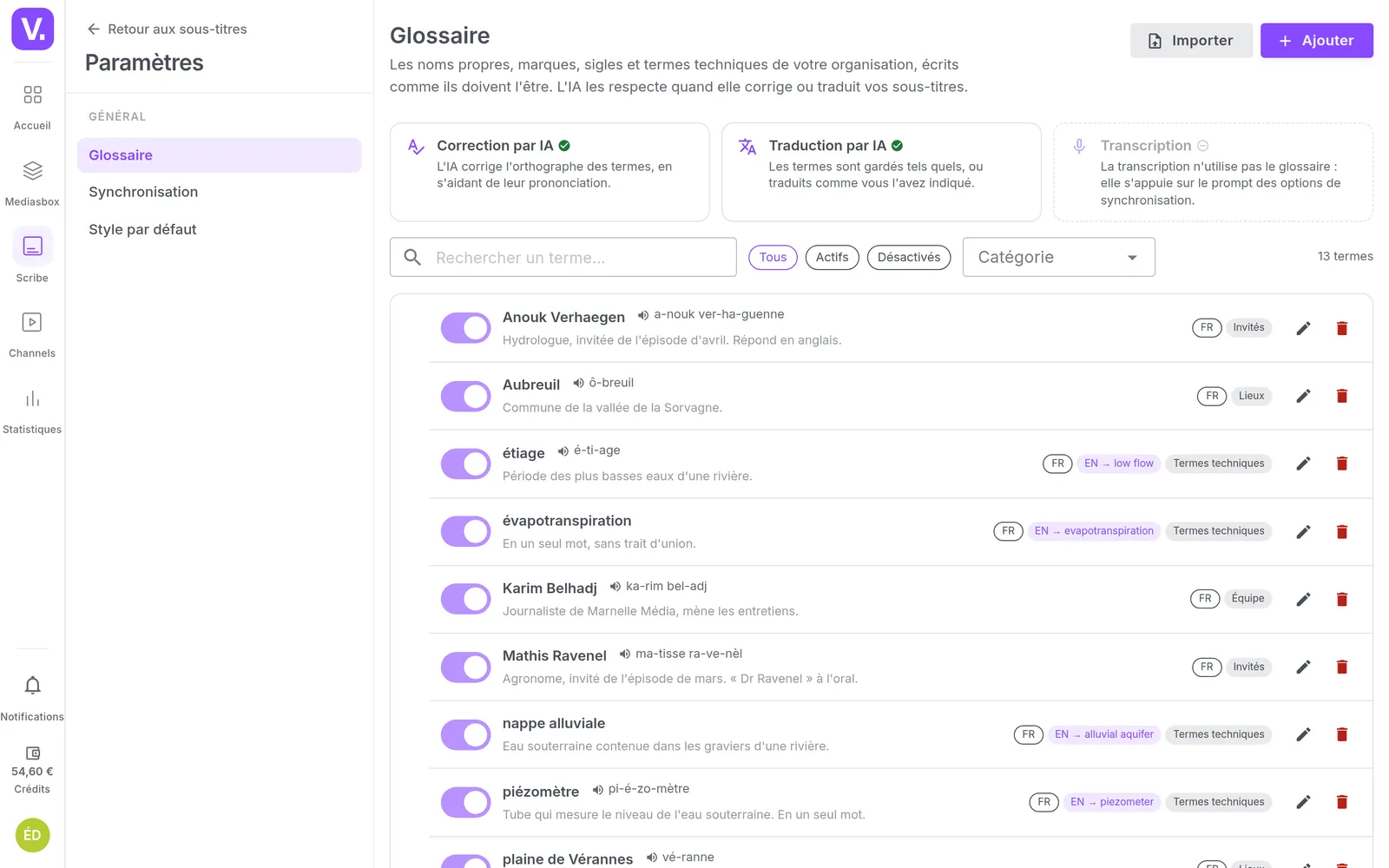
The approved film has nowhere else to go: it is in Mediasbox. Publishing, embedding or delivering remains the team’s move, with the video’s usual actions. Studio Hublot can publish it on the brewery’s channel with Channels, embed it on its site, or subtitle it with Videas Scribe and have those subtitles approved the same way.
That leaves handing over the file, which goes through a share link: the article on client video delivery explains how to deliver a master without losing control of it, and the scenario Store, deliver and sell your films shows what comes next for a production company.
How it works, step by step
Sharing for review
Manon sends the 90-second film and its 30-second cut-down in the same review. Élodie and Paul each receive their own link, valid for 14 days, and the link will follow the versions to come.
What the client receives
An email under the agency's logo, with Manon's note and the two videos to review. One button, no account to create: the link is personal, and each comment will be signed with its author's name.
Commenting at the timecode
Élodie pauses and types. For the music drowning the voice-over, she sets a range from 0:42 to 0:48: Yanis will know where the problem starts and where it ends, and she has not copied out a single timecode.
Drawing on the frame
Paul finds the logo too small on the end card. He boxes it, adds an arrow and writes one sentence. What an email would have taken three lines to describe fits in a drawing, attached to the exact frame.
The feedback, agency side
Every comment in one place, sorted by moment in the video. Manon replies to Élodie in the thread; Yanis details his mix in an internal note, which the client does not see, then each point is marked as handled.
V2 under the same link
Yanis uploads the new cut and the reviewers are notified by email. The V1 feedback stays filed with its version and timecode: nobody wonders which export a remark was about.
The decision
The logo is the right size: Paul approves V2. He sends his decision video by video, or all at once when he finishes. Requesting changes takes at least one comment, so the team knows what to fix.
Who approved
The film has its two approvals. On the 30-second version, Paul approves but Élodie wants a different shot: Manon replies, Yanis notes which rush to use, and V3 goes out that afternoon.
The workspace's reviews
At V3, both videos are approved. The review opened by public link for Inès, at the communications agency, is still pending. It all reads on one page, without reopening an email thread.
What our customers say about us
Your solution is top quality, your team is responsive and attentive, and the results amply exceed our expectations. We hope to work with you for a long time to come, as you contribute to our success.

Videas enabled us to create a genuine connection between our French and Canadian teams. The platform has become the go-to hub for our internal communications: every employee can access content in their language, react, and get involved, wherever they are.
The Videas Web TV has become a must-attend event for our teams. The weekly live streams with the CEO have transformed our internal communications: employees ask questions live, react, and get involved. We've gone from one-way communication to a genuine dialogue.
Frequently asked questions
Does my client need an account to review the video?
No. They open the link they received by email and review in their browser, with no account and nothing to install. When you create the review you choose between a personal link per reviewer, sent by email, and a public link where each person gives their name and email address to join.
How do you annotate a video at a precise moment?
The reviewer pauses and types: the comment carries its timecode, down to the frame. For a whole passage, they set a range with two handles on the timeline, or with the I and O keys, and play it in a loop. On the paused frame, they draw: pencil, highlighter, line, arrow, rectangle or ellipse.
What is a Frame.io alternative for getting videos approved?
Videas, if your videos are already hosted there or have to be published afterwards: the review happens on the video in Mediasbox, with timecoded comments, drawing on the frame, versions and each reviewer's decision. Once approved, the film is published, embedded or delivered without changing tools. The detail is in the Videas or Frame.io comparison.
What happens to the comments when I upload a V2?
They stay attached to their version. V2 is uploaded from your computer or from Mediasbox, under the same link, and the V1 feedback is filed under the other versions, each comment with its version and timecode. Reviewers can go back to earlier versions, unless you chose to have one fixed version reviewed.
How do I know who approved the video?
Each reviewer gives a decision video by video, on the latest version: they approve, or they request changes with at least one comment. You see each person's decision, and the state of each video: approved, changes requested or pending. A reviewer can change their mind.
Does the client see our internal discussion?
No. An internal note is visible to your team only: the editor answers the project manager under the client's comment, and the client never sees it. You also decide, when you send the review, whether reviewers see each other's comments or only their own.
Can several videos go into the same review?
Yes: the film and its cut-downs go out together, and more videos can be added later. Each video keeps its own comments, versions and decision. Reviewers can be added or removed along the way, and the links are resent in one click.
Am I notified of every client comment?
No, on purpose: you are notified when a reviewer gives their decision, not at every remark. Comments build up under Reviews, where a badge flags what is waiting on the team. The reviewer receives the invitation, a reminder, the notice of a new version and replies grouped together.
How long does a review link stay open?
14, 30 or 90 days: an expiry is mandatory and is chosen when you send. A review carries no password; access rests on each reviewer's personal link, or on the public link, and on that date.
Can the client download the film from the review?
The review is for commenting and approving. To hand over the file, you send the approved film through a share link, with its own settings: password, expiry, download allowed or not. The Deliver to your clients page shows how.
Going further
More scenarios
All scenarios →Studios & production companies
Have your client approve the subtitles, line by line
The client reviews the subtitles line by line from a link, and the agency decides.
Studios & production companies
Show your films without waiting to be picked up
A catalogue of independent films, with the feel of a real platform.
Private companies
Turn your interviews into text without replaying them
One transcript, corrected once, serves the article, the subtitles and the public.