AI automatic subtitles: your videos subtitled in minutes
AI automatic subtitling turns a video’s audio into synchronized subtitles, in minutes. An hour of manual work reduced to one click, thanks to Videas Scribe. What’s left is the work that actually matters: reviewing, fixing proper nouns and numbers, and choosing the right export format.
How AI generates subtitles
Automatic subtitling relies on three steps that run one after another:
- Speech recognition (ASR) turns the audio into raw text, word by word, using a model trained on very large volumes of speech.
- Time alignment places each word at its exact position in the video, down to a fraction of a second.
- Segmentation groups that text into readable subtitle lines, timed to pauses and punctuation rather than a fixed word count.
These three steps are automatic, but the result is still a draft: an AI-generated subtitle gets corrected, it doesn’t get published as is.
Why subtitle your videos
- Watching without sound. 80% of videos on social media are watched with the sound off: without subtitles, the message doesn’t land.
- Engagement. Subtitled videos show a 40% higher completion rate and a 12% longer average watch time.
- Accessibility. Subtitles are one of the four requirements of RGAA for a video; the full scope of that obligation is covered in our RGAA and video guide.
- SEO. A subtitled video becomes indexable text, searchable by classic search engines as well as AI engines.
Generating subtitles with Videas Scribe
In Videas, automatic subtitling happens in three steps:
- Import. Drop a video or audio file, in any common format. The free subtitling tool accepts files up to 2 GB and 10 minutes, no account needed.
- Generation. Videas Scribe produces synchronized subtitles and transcript in the chosen language, with the option to add translations in over 100 languages in a single pass.
- Editing and export. The built-in editor lets you fix the text, adjust timing, merge segments, and find-and-replace a term across the whole track. Export as SRT, VTT, TXT or DOCX, or burn the subtitles directly into the image; publishing directly into the Videas player is also possible.
The step-by-step tutorial walks through this from an account, and the Scribe page shows the same engine applied to an entire video library.
Correcting AI-generated subtitles: what not to skip
Even at 95% accuracy, an hour-long video still contains dozens of errors. Review should focus first on proper nouns (people, companies, products, which the model cannot guess), technical vocabulary specific to your industry, and numbers and acronyms, where an error changes meaning rather than just form. Timing matters as much as the text: a subtitle that arrives before or after the speech is as disruptive as a wrong word.
Instead of fixing the same name in every video, add it once to Scribe’s vocabulary glossary, with a phonetic hint if needed: the AI then recognizes it in every subsequent transcript, across the whole organization. Line length matters too: two lines of 42 characters maximum per segment, to stay readable without freezing the image.
SRT, VTT, or burned-in subtitles: which format to choose
The right format depends on the use case, not on subtitling quality:
- SRT is the most widely supported format, read by nearly every video player and sharing platform.
- VTT adds styling support (position, color) and suits the web better.
- Burned-in subtitles: the subtitles become part of the video image itself, essential for social platforms that don’t display a separate subtitle track, but impossible to correct or turn off after export.
With Videas, viewers choose and toggle their subtitles directly in the player, without depending on a format fixed at export.
FAQ
Is automatic subtitling reliable for a public video?
It’s reliable as a starting point, not as a final deliverable. A review pass remains necessary before any publication, especially for videos subject to an accessibility obligation.
What accuracy should I expect from automatic subtitling?
On clean audio with a single speaker, accuracy typically exceeds 95%. It drops with background noise, strong accents, or multiple speakers, and errors then concentrate on proper nouns, technical vocabulary, and numbers. Recent models also distinguish speakers (diarization), though less reliably beyond two or three voices.
Can subtitles be generated in a language different from the audio?
Yes. Videas Scribe first transcribes in the source language, then translates the subtitles into over 100 languages, keeping the original timing.
Do I need an account to subtitle a video?
Not for a one-off use: the free tool subtitles a file up to 2 GB with no sign-up. An account becomes useful for managing several videos, editing over time, and publishing directly into a player.
What’s the difference between subtitling and transcription?
Transcription is the raw text of the audio. Subtitling is a segmented, time-synced version of it, ready to display on screen. Our guide to AI video transcription covers the use cases that draw on the raw text rather than the subtitles.
AI automatic subtitling saves the time of generation; it doesn’t remove the need for review. With Videas Scribe, generation, editing, and export happen in a single tool, with no back and forth between several services.
Related articles
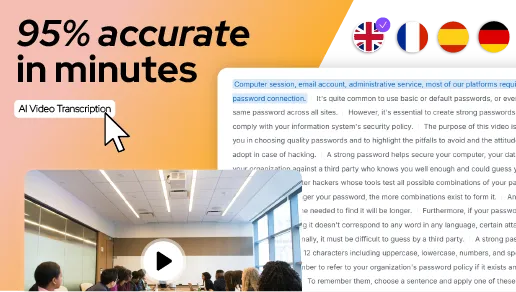
Artificial Intelligence
AI video transcription: a complete guide for businesses
How does AI-powered automatic transcription transform video management in business? Subtitling, accessibility, SEO, translation: discover all use cases and solutions.
Accessibility
RGAA and video: what the framework requires, and who it applies to
RGAA applies to public bodies and is reaching the private sector. What it requires from a video, criterion by criterion, and how to answer it.
Video Platform
Why leave Vimeo: 8 reasons to convince you
Bandwidth cut off mid-spike, a catalogue capped by tier, a bill that climbs without warning, Vimeo On Demand shutting down. Here are the reasons teams actually give for leaving Vimeo, one by one.