










api.video vs Videas

All of your video, without building the rest

Your developers keep an API and an OpenAPI contract. Everyone else gets a media library, public channels, reviewed subtitles and a way to sell, without writing a line of code.

api.video and Videas both host, encode and deliver video through an API, live streaming included. api.video is a building block for developers: the integration is quick to write, but the back office, the storefront and the selling are yours to build, and analytics retention and domain restriction are paid add-ons. Videas ships the interface that comes with the API: a shared media library, AI subtitling in 100+ languages, public channels, monetization and analytics included.

Try for free
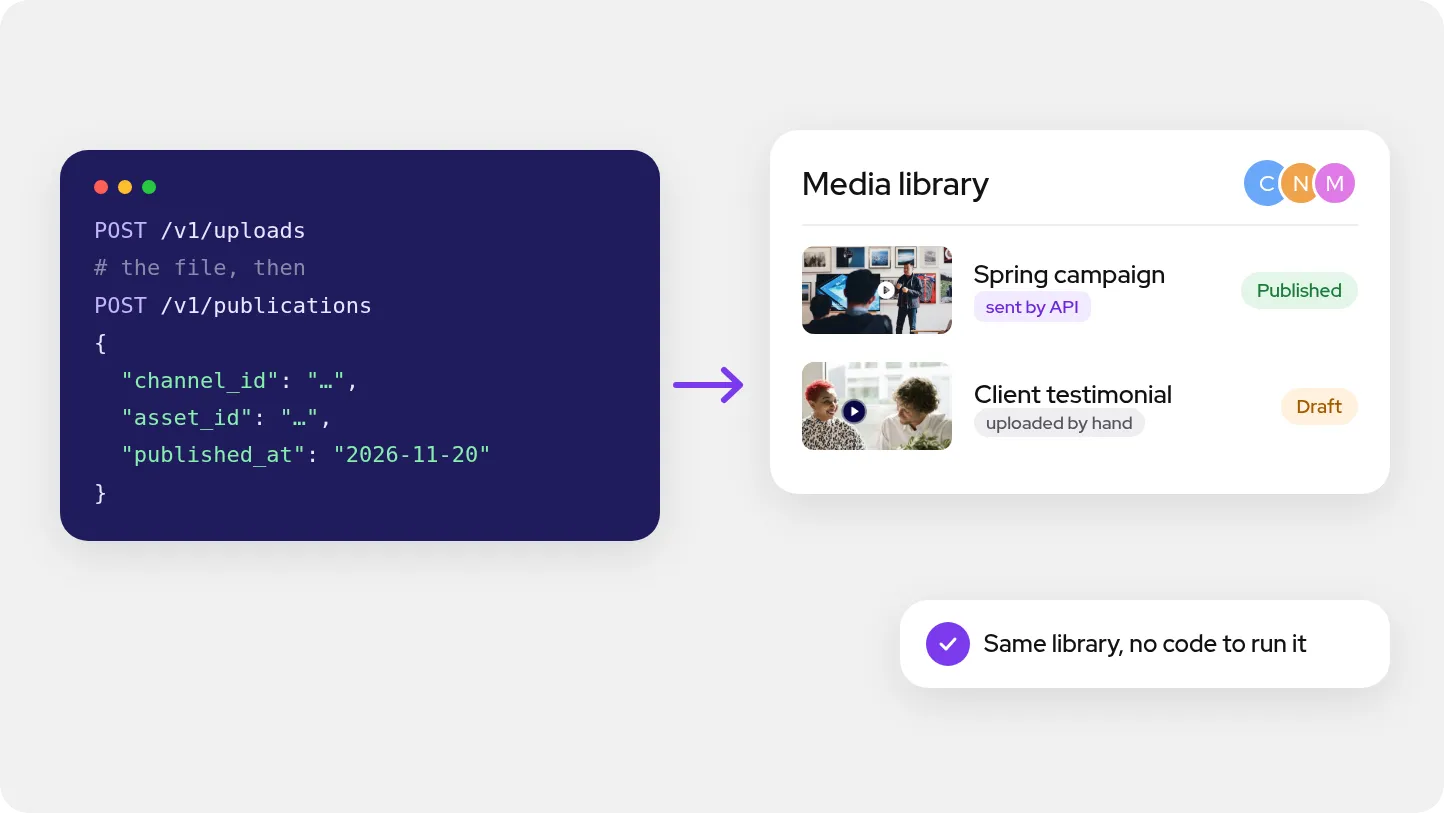
Two calls to the Videas API, then the team's media library where the video sent by the API shows as published, next to one uploaded by hand
ONISEP
AFNOR
Ville de Roubaix
Safran
France-Soir
Crédit Agricole
France Travail
Magnard-Vuibert
Sodiaal
Yoplait
Call

Where api.video falls short

  • API-first: without a developer, nothing goes live

    api.video is built for developers. The dashboard tracks the integration; it is no working tool for an editorial team.

  • No media library for the rest of the team

    Videos are filed by project, for whoever writes the code. Shared folders and editorial search are yours to build.

  • Analytics history turns into a subscription

    One month of retention is included. Past that, history is billed: $12 to $299 a month, by range and by plays.

  • Domain restriction is a paid option

    Restricting playback to your domains costs $20 a month, and is free only on Enterprise. A custom domain, $60.

  • No monetization: api.video delivers, it doesn't sell

    No paywall, no subscriptions, no checkout: the payment flow and paid access rights are built elsewhere.

  • No channel or public page for your viewers

    api.video ships infrastructure, not a storefront. Pages, categories, search and viewer accounts are your project.

  • The subtitles on screen are still a file you supply

    AI transcription returns text, billed by the minute. The captions in the player are uploaded by you, with no editor.

  • Service commitments start at the Enterprise plan

    On pay-as-you-go: no SLA, no isolated storage, and audit logs going back five days. A signed contract starts at Enterprise.

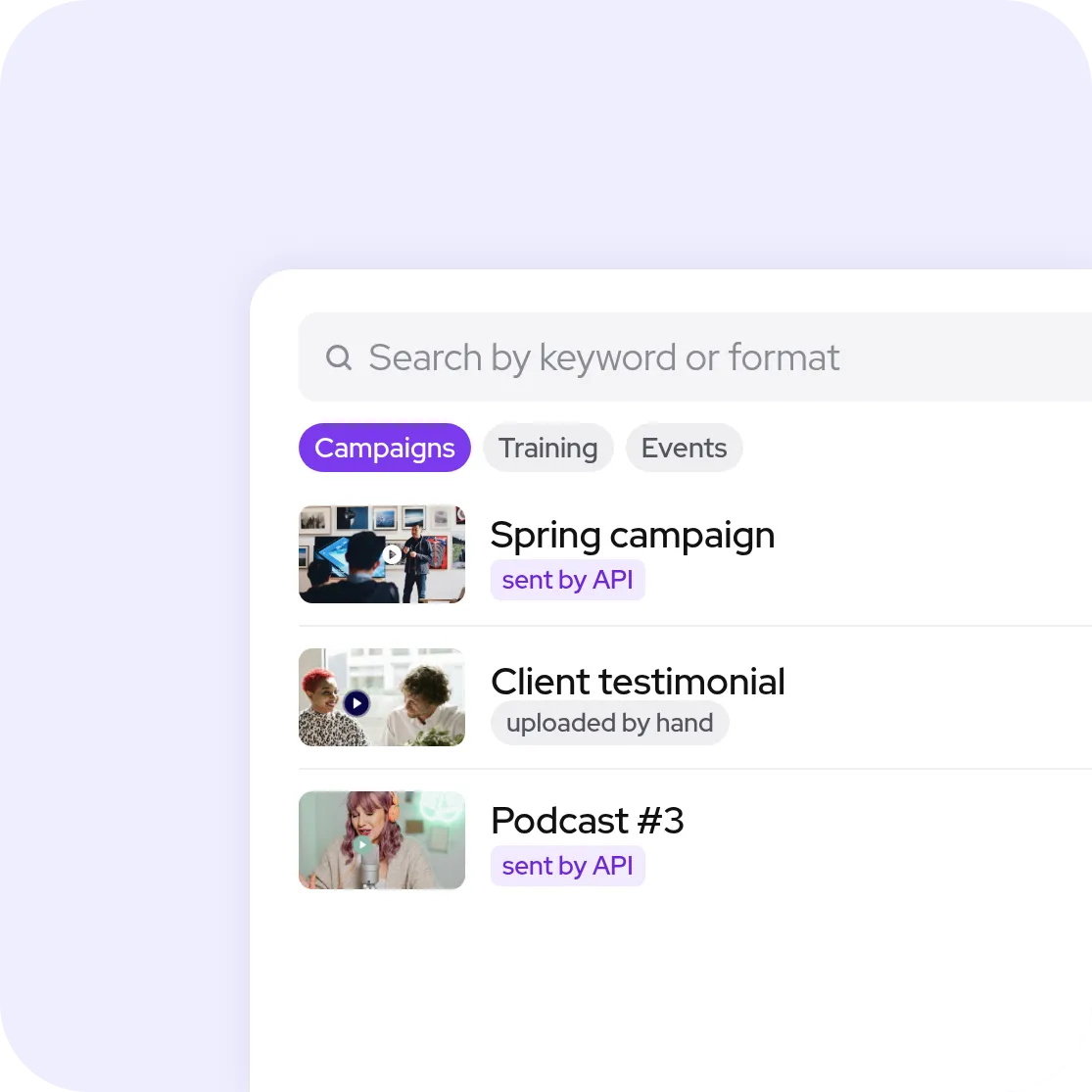
Videas media library with its search, folders and three videos, sent by the API or uploaded by hand

An interface for the whole team, not just for the integration

With api.video, the dashboard watches what your code sends: past that, every screen your team needs is a development project. Videas opens a full media library: folders, search by keyword or format, shared workspaces, custom fields. Videos sent through the API land in the same place as those uploaded by hand, and are managed without writing code.
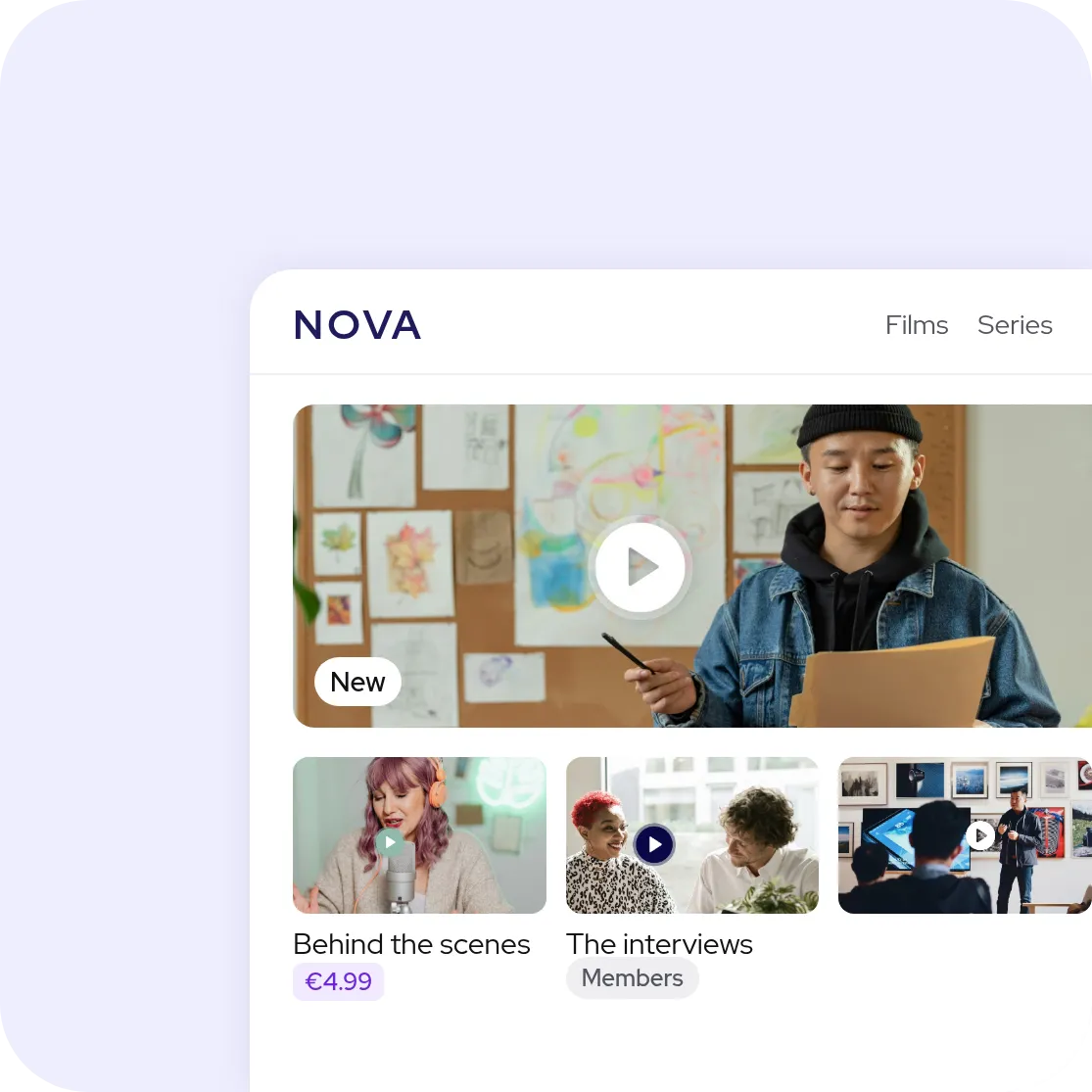
A video channel in a brand's own colours, with its sections, a featured video, one title sold on its own and one for members

A storefront delivered, not another project

Getting a catalog page out of api.video means writing one: the pages, the categories, the search and the viewer accounts are your project, then your maintenance. Videas publishes a channel in your colors, on your own domain, with categories, restricted access and one-off or subscription selling. What used to take a sprint is set in the interface.

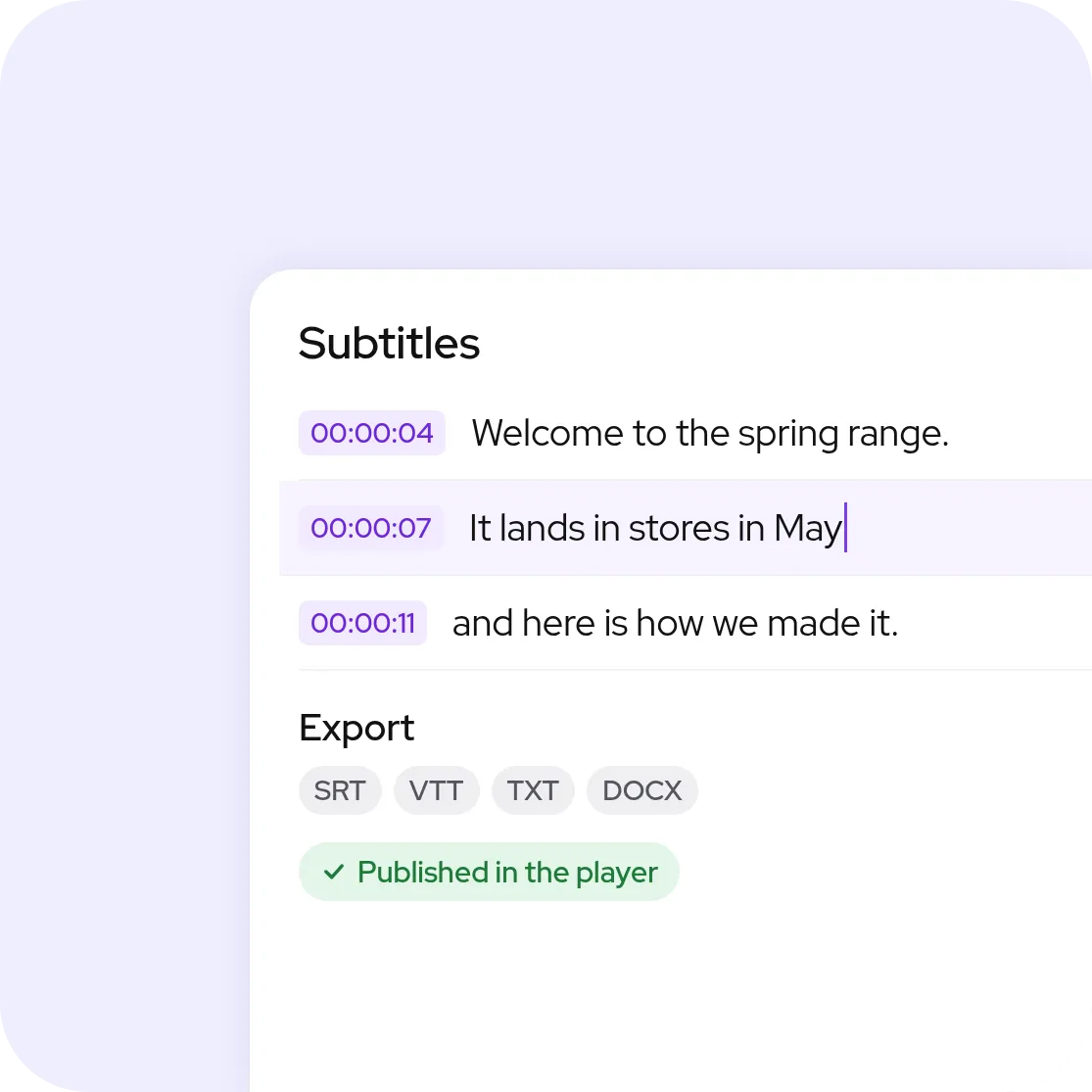
Timecoded subtitles being corrected, SRT, VTT, TXT and DOCX exports, and a published-in-the-player status

Subtitles written, reviewed and published in one place

api.video transcribes in 33 languages and returns text; the captions that play in the player are uploaded by you. Videas Scribe generates subtitles in over 100 languages, with punctuation and speaker detection, opens them in a timeline editor to fix them word by word, then publishes them in the player or exports them as SRT, VTT, TXT and DOCX.

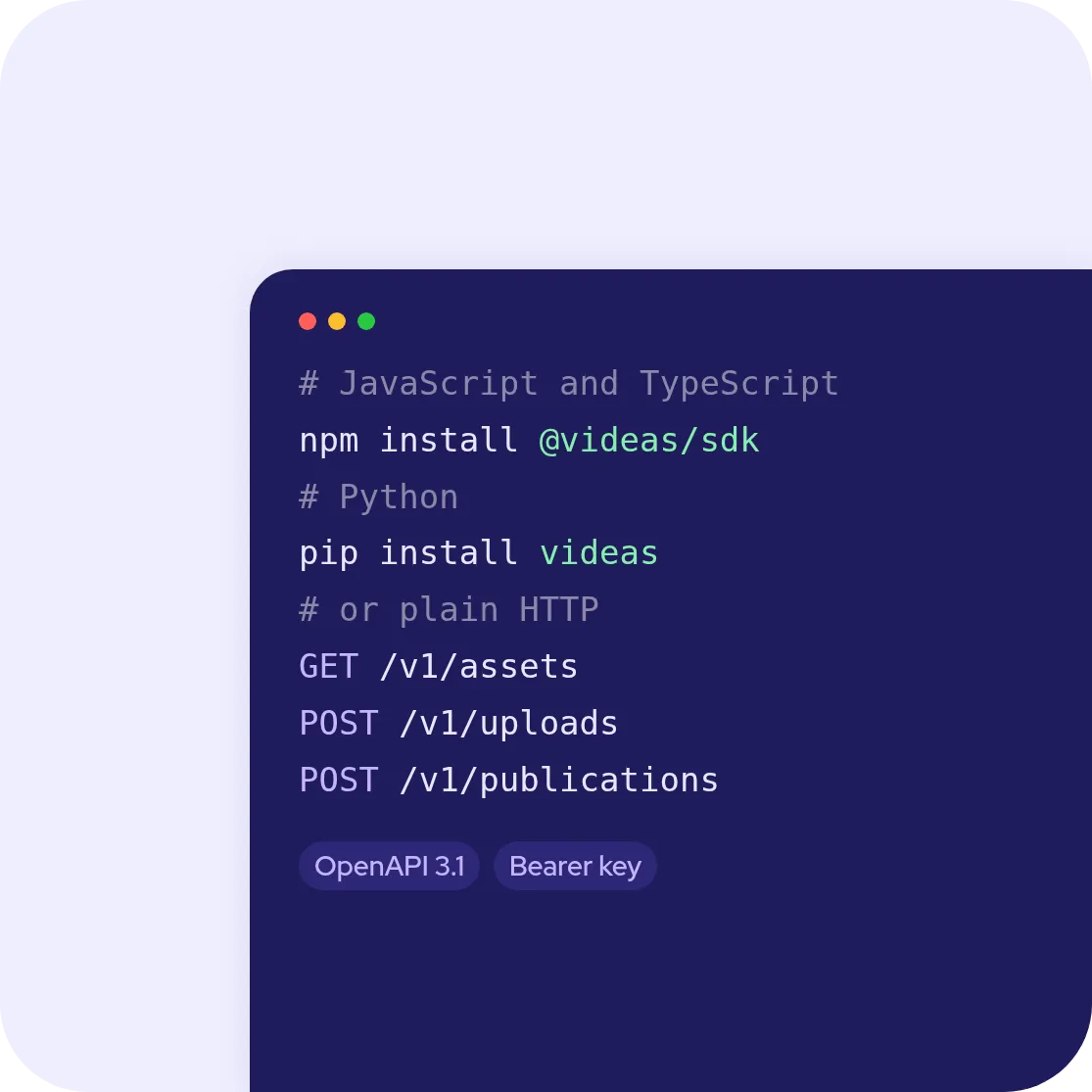
Installing the Videas JavaScript and Python SDKs, and three routes of the public API, with the OpenAPI 3.1 contract

The API is still there for your developers

Nothing is lost on the technical side: the Videas REST API feeds the library, reads and edits words, tags, custom fields and thumbnails, publishes to channels and returns playback sessions, with two official SDKs, JavaScript and Python, and an OpenAPI 3.1 contract that downloads to generate a client in any other language. Large uploads go over the resumable tus protocol, and a key belongs to the organization, carries eight independent permissions and expires on the date you choose.

Feature
videas.Try it
api.video
Hosting and encodingHosting and encodingYesYes
Live streamingLive streamingYesYes
Public APIPublic APIYesYes
Customizable playerCustomizable playerIncludedIncluded
Full user interfaceFull user interfaceYesAPI-first
Usable without a developerUsable without a developerYesNo
Media library shared by the teamMedia library shared by the teamYesNo
AI subtitles, reviewed and publishedAI subtitles, reviewed and publishedYesTranscription only
Video channels / portalsVideo channels / portalsYesNo
Built-in monetizationBuilt-in monetizationYesNo
Domain restrictionDomain restrictionIncluded$20/month
Analytics historyAnalytics historyIncluded1 month, then paid

Frequently asked questions

Do api.video and Videas answer the same need?

Not quite. api.video is an infrastructure building block: its API covers upload, encoding, delivery and live, and everything around the video is built by you. Videas hosts and delivers the same things, but also ships the interface: media library, public channels, subtitling, analytics and selling. Its API automates what the interface already does.

Do I need a developer to put a video online with Videas?

No. The whole platform works from the interface: upload a file, subtitle it, publish it to a channel, follow its analytics. A developer is there to automate what deserves it, not to make the platform usable. With api.video, the API is the only way in.

Does the Videas API cover the same ground as api.video's?

For the library and publishing, yes: list and count media and workspaces, add a file, sent in one go or resumably over tus up to 10 GiB, or a video hosted elsewhere, edit words, tags, custom fields and thumbnail, publish to a channel on a chosen date, and read playback sessions. The difference is that it is not the only way in.

Does Videas ship API clients and SDKs, the way api.video does?

Yes, two official SDKs: @videas/sdk for JavaScript and TypeScript, and videas for Python, each with a method for every call of the /v1 public API, resumable uploads of large files included. For any other language, the API is plain HTTP and JSON, authenticated with a Bearer key, with examples in cURL, Node.js and Python and an OpenAPI 3.1 contract that downloads to generate a client.

How much does Videas cost next to api.video?

Pricing is usage-based, with no subscription: €0.20 per hour of stored video per month, €0.02 per GB delivered, encoding and analytics included, €0.10 per minute of generated subtitles, per language. €5 in credits on sign-up, then €5 every month. The add-ons api.video bills separately, domain restriction and analytics retention, do not exist here.

How do I migrate a catalog from api.video?

The Videas team handles the transfer: your files are pulled across and filed in the media library with their titles and descriptions, and the migration is free. On the code side, upload and publishing calls are rewritten against /v1, and the screens you built around api.video usually no longer need to exist.

Do I have to pay to keep my analytics history?

Not with Videas: analytics are part of the platform, with views, watch time, heatmaps and click-through rate, and no retention tier to buy. With api.video, one month is included; beyond that, retention becomes a subscription, $12 to $99 a month for three months and $36 to $299 for twelve, depending on plays.

How do I sell videos when coming from api.video?

api.video has no paywall and no subscriptions: selling is built alongside, with a payment provider and your own access rights. Videas builds selling into channels: one-off, rental or subscription, with checkout, viewer access and sales tracking in the same interface.

Can playback be restricted to my own domains?

Yes, and it is included. With api.video, domain restriction is a $20 a month add-on on pay-as-you-go, free only on Enterprise. With Videas, a video is protected by password, by expiry date or by a list of allowed domains, at no extra cost.

How does Videas generate subtitles, next to api.video's transcription?

api.video transcribes audio in 33 languages and returns text, billed by the minute; the captions shown in the player are uploaded by you, in the format you choose. Videas Scribe generates subtitles in over 100 languages, with punctuation and speaker detection, corrects them in a timeline editor, then publishes them in the player or exports them as SRT, VTT, TXT and DOCX.