AI-powered video transcription has made spectacular progress in recent years. What once took hours of manual work can now be accomplished in minutes, with accuracy exceeding 95%. For businesses, it is a quiet revolution that transforms how video content is produced, distributed, and leveraged.
This guide explains how AI video transcription works, what the concrete business use cases are, and how to choose the right solution.
What Is AI Video Transcription?
AI video transcription consists of automatically converting speech from a video into written text. This technology, called ASR (Automatic Speech Recognition), uses deep learning models trained on millions of hours of audio to recognize speech in over 100 languages.
In practice, AI transcription enables you to: - Generate subtitles automatically from the audio track - Transcribe meetings, conferences, or training sessions into searchable text - Translate content into other languages - Index videos to make them keyword-searchable
Videas Scribe, the AI transcription module built into Videas, uses the most advanced models on the market to deliver accurate, fast transcription that is directly usable from within the platform.
Why Businesses Are Massively Adopting AI Transcription
1. Accessibility Has Become a Legal Obligation
In Europe, the European Accessibility Act requires businesses to make their digital content accessible to people with disabilities. In many countries, accessibility regulations mandate subtitles for all public video content.
In 2026, failing to subtitle your videos exposes you to real legal risks. AI-powered automatic transcription makes this obligation easy to meet.
2. Subtitling Boosts Engagement
The numbers speak for themselves: - 80% of videos on social media are watched without sound - Subtitled videos have a 40% higher completion rate - Subtitles increase average watch time by 12%
Even for internal videos (training, onboarding), subtitles improve comprehension and information retention.
3. Video SEO Depends on Text
Search engines cannot “watch” a video. They rely on associated text: title, description, and especially the transcript. A transcribed video is indexable, searchable, and rankable.
With Videas, AI-generated transcriptions are automatically associated with your videos, improving their visibility in search engines and AI engines (ChatGPT, Perplexity, Google AI Overview).
4. Multilingual Translation Opens New Markets
A training video produced in English can be automatically translated into French, Spanish, German, or any other language. No need to reshoot: AI transcription + automatic translation gives you multilingual subtitles in minutes.
Videas Scribe translates subtitles into over 100 languages, directly from the interface, without any external tool.
Concrete Business Use Cases
Training and E-Learning
AI transcription transforms video training: - Automatic subtitling of all educational videos - Full transcription to create written materials from filmed courses - Translation for international teams - Content search: find a specific passage in a 2-hour video through text
With Videas, trainers can subtitle their videos in one click and offer subtitles in each learner’s language.
Internal Communication
Executive messages, general assemblies, and internal presentations benefit from transcription: - Accessibility for hearing-impaired employees - Text archives of important communications - Automatic summaries from meeting recordings
Marketing and Content
Transcription opens new possibilities for marketing content: - Repurposing: turn a 30-minute video into 10 blog articles - Quotes: extract the best passages for social media - SEO: each transcribed video becomes an indexable page
Compliance and Archiving
Certain industries (banking, healthcare, government) have strict archiving obligations. Transcription enables: - Creating a text registry of all video communications - Facilitating regulatory searches through archives - Proving compliance of distributed information
How AI Transcription Works in Videas
Step 1: Upload Your Video
Import your video to Videas. All formats are accepted (MP4, MOV, AVI, MKV, WebM…). The platform automatically encodes the video for optimal streaming.
Step 2: Launch Transcription
In Videas, click “Transcribe” from your video page. Select the source language of the audio. Videas Scribe automatically starts the transcription.
Step 3: Edit and Correct
The transcription is ready in minutes. The subtitle editor built into Videas lets you: - Correct any errors - Adjust synchronization with the timeline - Split or merge segments - Modify the display style
Step 4: Translate (Optional)
From the same editor, you can translate subtitles into any language. The translation is generated automatically and remains editable.
Step 5: Publish
Subtitles are activated directly in the Videas player. Viewers can choose their subtitle language and toggle them on or off.
Comparing Video Transcription Solutions
| Criteria | Videas Scribe | YouTube Auto | Happy Scribe | Descript | Otter.ai |
|---|---|---|---|---|---|
| Hosting integration | Yes (native) | YouTube only | No | No | No |
| Supported languages | 100+ | 60+ | 100+ | Mostly English | Mostly English |
| Subtitle editor | Built-in | Basic | Yes | Yes | Basic |
| Automatic translation | Yes | No | Yes (paid) | No | No |
| SRT/VTT export | Yes | Yes | Yes | Yes | No |
| Privacy | France (GDPR) | USA (Cloud Act) | Europe | USA | USA |
| Integrated player | Yes (white-label) | YouTube | No | No | No |
The major advantage of Videas Scribe is native integration: transcription, editing, and distribution happen in a single tool, without import/export between platforms.
Best Practices for Quality Transcription
Audio Quality
Transcription accuracy depends directly on audio quality: - Use a lapel microphone or quality desk microphone - Avoid background noise (ventilation, open-plan offices, music) - Speak clearly and at a steady pace - Avoid interruptions and overlapping speech
Systematic Review
Even with 95%+ accuracy, human review remains recommended for: - Proper nouns (people, companies, products) - Technical vocabulary specific to your industry - Acronyms and abbreviations - Numbers and precise data
Subtitle Organization
- Limit each segment to 2 lines of 42 characters maximum
- Minimum display duration: 1 second per segment
- Synchronize subtitle start with the beginning of speech
- Use punctuation to facilitate reading
FAQ
How accurate is AI transcription?
Current models achieve 95-98% accuracy under decent audio conditions. Videas Scribe uses the latest generation models to ensure the best results.
How long does it take to transcribe a one-hour video?
With Videas Scribe, a one-hour video is transcribed in 5-10 minutes on average. Translation into an additional language takes a few more minutes.
Does transcription work with multiple speakers?
Yes. Modern AI models detect speaker changes (diarization). Videas Scribe identifies different speakers and attributes speech segments to each one.
Can rare languages be transcribed?
Videas Scribe supports over 100 languages, including less common ones. Accuracy is optimal for the most widely spoken languages (French, English, Spanish, German, Portuguese, Italian, etc.).
How is transcription privacy guaranteed?
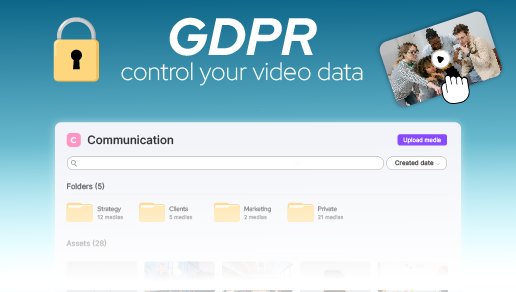
With Videas, all data (videos, audio, and transcriptions) is processed and stored in France, on sovereign infrastructure. No data transfers to the United States or other third countries. Transcription is GDPR compliant.
AI video transcription is no longer optional in 2026 – it is a standard. For accessibility, SEO, training, or archiving, it delivers measurable value to every video your business produces.
Videas Scribe offers transcription, subtitling, and automatic translation directly integrated into your video platform, with no third-party tools, in full GDPR compliance.