A new architecture, new tools, and much more flexibility for managing your video content with Videas.
Videas is no longer quite the platform you knew. We have rethought everything: the architecture, the features, the user experience. The goal: to offer you a more powerful, more flexible video platform that truly adapts to your needs – whether you are an independent creator, a trainer, or a video manager at a large enterprise.
In this article, we walk you through the new features awaiting you in this new version of Videas.
A Videas Platform Organized into Specialized Tools
The most visible change: Videas is now organized into specialized tools, each dedicated to a specific use case. Gone is the single interface where everything blends together. You now navigate between dedicated spaces that are clearer and more efficient.
Tools Available in Videas
Mediasbox – The central media library of Videas. All your files in one place – videos, images, documents, audio – accessible in one click. Organize them into collections, share them seamlessly, and collaborate as a team through integrated workspaces.
Channels – The Videas tool for launching your own VOD streaming platform. Build your pages with a visual editor, sell access or subscriptions, manage your promotional offers. Everything you need to monetize your videos without relying on a marketplace.
Scribe – The automatic subtitling tool from Videas. AI transcribes your videos, and you refine the result. An intuitive editor lets you correct, synchronize, and style your subtitles before export.
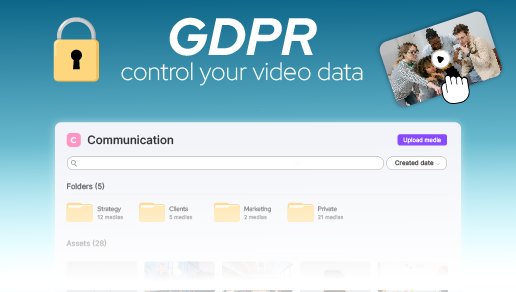
Analytics – The Videas analytics dashboard. Understand your audience: who watches what, for how long, and how far. Clear metrics, GDPR-compliant, to help you make the right decisions.
Most importantly: all Videas tools are interconnected. A video uploaded to Mediasbox is instantly available in Channels or Scribe. You work seamlessly without duplicating your files.
More tools will be coming soon to further enrich the Videas platform.
Mediasbox: Much More Than a Video Host
Mediasbox is the heart of the new Videas platform. This is where you centralize all your files, hosted in France on a sovereign infrastructure.
All File Types Accepted in Videas
Previously, Videas was limited to videos. That is no longer the case. With Mediasbox, you can now store:
- Videos – MP4, MOV, AVI, MKV, and many other formats
- Images – JPG, PNG, GIF, WebP…
- Documents – PDF, Word, Excel…
- Audio files – MP3, WAV, FLAC…
- And many other formats
Everything is centralized in Videas, ready to be used in other tools or shared with your team and clients.
Videas Collections: Organize Your Files Your Way
Video playlists are a thing of the past. Welcome to Collections: flexible groupings that can contain any type of file. In Videas, create collections by project, by client, by theme – you decide the organization.
Another new feature: collections are now managed in the same place as your other files, directly in the Videas library. You can even organize them into folders for an even more refined structure.
Videas Sharing: A Real Library for Your Recipients
Before, sharing a video on Videas gave access to a simple page with a player. Not anymore.
Now, in Videas, select files, folders (with their subfolders), collections – whatever you want. Your recipient accesses a real, navigable library without needing to create an account. They can browse the file tree, view files – everything is immediately accessible.
Videas gives you total control with several security options:
- Expiration date – The Videas sharing link becomes inactive after the defined date
- Password – Only those with the code can access the content
- Download control – Allow or block file downloads
Ideal for sharing rushes with a client, resources with partners, or a complete document library with an external team.
Videas Workspaces: Work as a Team
Create dedicated workspaces in Videas and invite your team members. Manage members, define roles and permissions, and work on the same files without stepping on each other’s toes. Whether you are an agency with multiple clients or a company with multiple departments, Videas Workspaces let you organize everything cleanly.
Channels: Create Your VOD Platform with Videas
The Channels tool from Videas lets you create your own video streaming platform – your very own Netflix, fully customizable.
Videas Page Builder: Customize Your Design
No more rigid templates. With the Videas Page Builder, you build your pages block by block. Add sections, rearrange them, customize colors and typography. Your Videas channel truly reflects your brand identity.
Integrated Sales Management in Videas
Major new feature: you now manage your subscriptions and coupons directly in Videas. No more going to Stripe to create a promotional offer or adjust a subscription. Everything is done from your Videas interface.
(Detailed sales statistics remain accessible on Stripe. A dedicated sales dashboard will arrive in a future Videas release.)
Scribe: AI Subtitles Made Simple with Videas
Scribe is the brand-new Videas tool dedicated to automatic subtitling powered by artificial intelligence.
Automatic Subtitle Generation
In Videas, import your video and Scribe automatically generates the transcription using AI. Speech recognition supports numerous languages and is continuously improving.
Automatic Translation in Over 100 Languages
Your subtitles are generated in one language in Videas? Translate them with one click into over 100 languages. Ideal for reaching an international audience effortlessly.
Subtitle Editor Built into Videas
Scribe includes a complete editor to fine-tune your subtitles directly in Videas:
- Adjust text and timing on an intuitive timeline
- Style the appearance – font, colors, position, size
- Use the Videas glossary to save your recurring terms (proper nouns, technical vocabulary) and ensure consistent transcription every time
Flexible Export from Videas
Export your subtitles in the format of your choice (SRT, VTT…) or directly export your video with burned-in subtitles. Videas even lets you choose the output format – landscape, portrait, square – to adapt your content to each distribution platform.
Videas Analytics: Meaningful Statistics
The new Videas Analytics dashboard gives you a clear view of your video performance, fully GDPR-compliant.
- Views, watch time, completion rate – The essential metrics
- Trends over time – Track your audience growth
- Detail by video, by channel, by period – Analyze your content in depth
Data is presented clearly in Videas, with intuitive graphs and relevant metrics. You understand what works and what can be improved.
A Redesigned Videas Player, and Much More
The Videas video player has been completely redesigned: new look, multi-codec adaptive streaming (H.264, VP9), better performance, and an optimized viewing experience.
For developers: Videas offers an SDK and a comprehensive API with detailed documentation. Integrate the Videas player into your projects in just a few lines of code via our REST API.
But that is not all. Videas no longer just plays videos:
- Podcast player – Stream your audio content with a dedicated interface in Videas
- PDF viewer – View your documents directly in the Videas interface
- Image viewer – Display your visuals, including as a gallery
With Videas, your files are no longer just attachments. They are truly usable.
Improved Performance Under the Hood
Behind the scenes, we have also worked on what is not visible in Videas.
- Faster uploads – Large files upload more quickly to Videas
- Optimized video processing – Your videos are ready for streaming faster
- Smoother interface – Responsive navigation, reduced loading times
- Sovereign hosting – Your content remains hosted in France on a secure infrastructure
These technical improvements in Videas save you time every day.
What Is Coming Soon to Videas
This release lays the foundation for a platform designed to evolve. Here is what is planned for upcoming Videas updates:
- Videas AI Assistant – Automatic generation of titles, descriptions, keywords, summaries, thumbnails, and chapters for your media
- New tools to complement the Videas offering
- Sales statistics dashboard for Channels users
- Additional features in the Videas Page Builder
We will keep you informed as updates roll out on our blog and in the Updates section.
Ready to Discover the New Videas?
Log in to your account to explore all these new features. And if you have questions or feedback, our team is here to help.
Do not have an account yet? Create one for free and start using Videas today.